TRANSFERRING CALLS
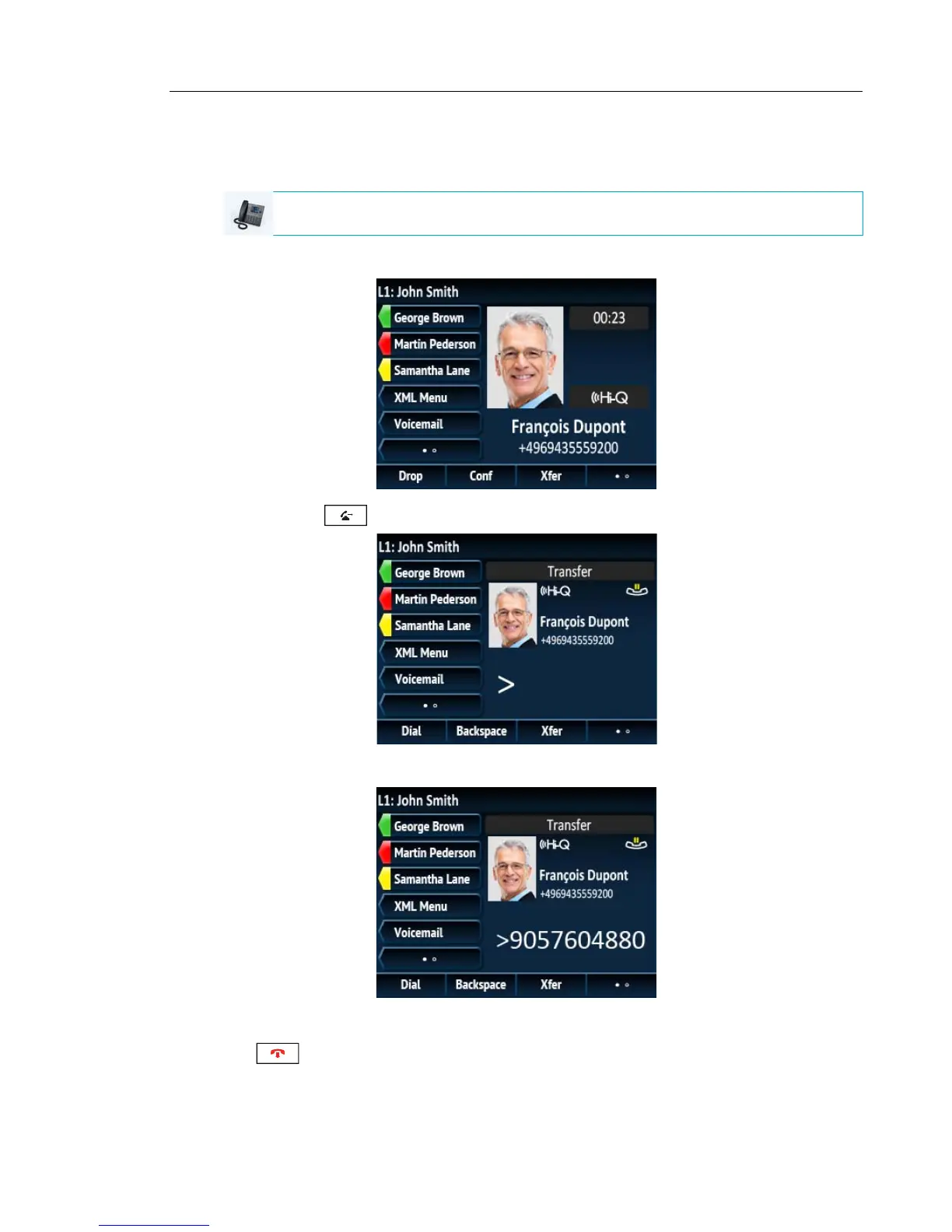
Use the following procedure to transfer a call to another extension.
1. Connect to Party 1 (if not already connected). Party 1 is the party you want to transfer.
2. Press the key or Xfer softkey.
3. Enter the extension number (or the outside number) to Party 2.
To cancel the transfer you can either press the Cancel softkey on the display screen, press
, or hang up the handset.
4. Complete either a blind or consultative transfer:
IP PHONE UI



 To Next Page