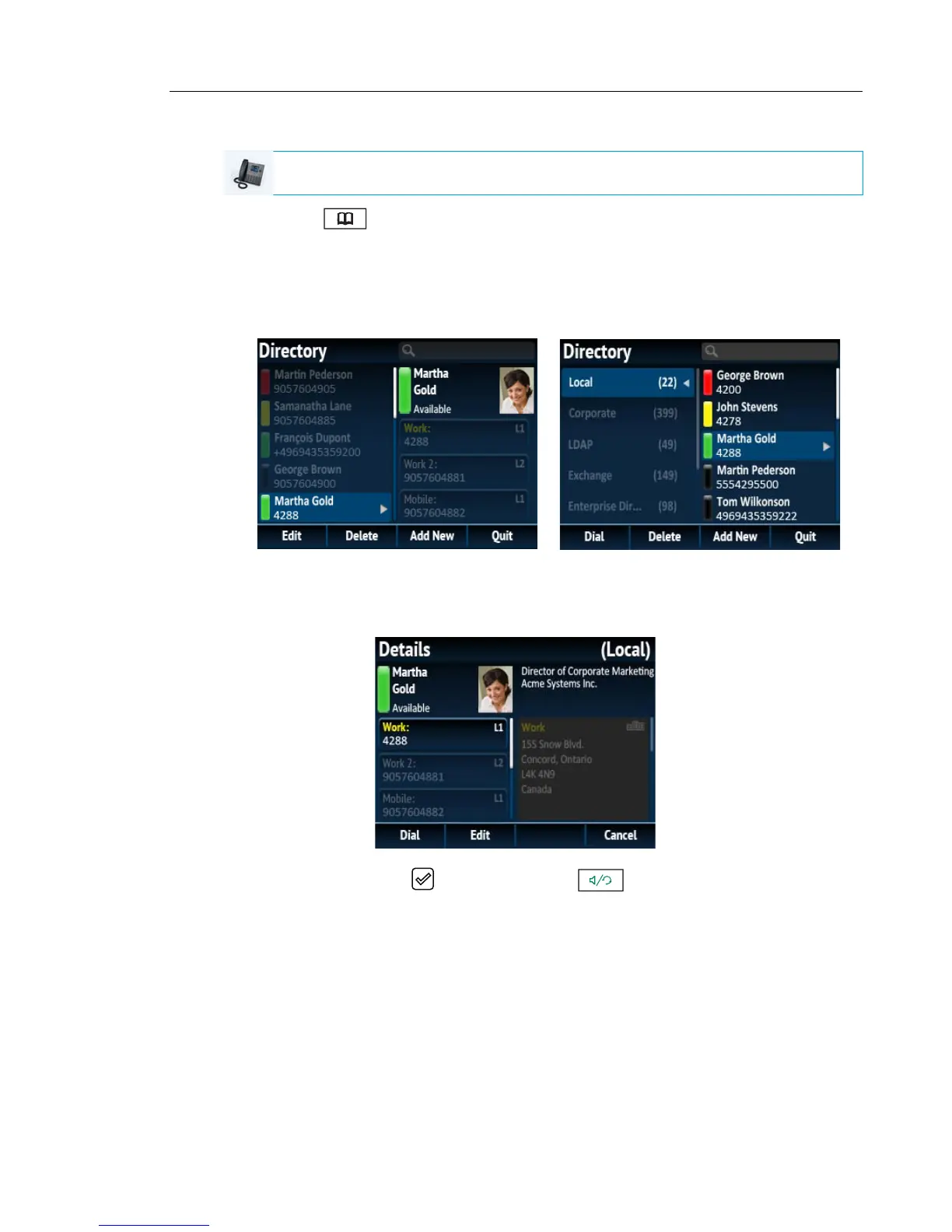
Use the following procedure on the phone’s UI to dial a contact’s phone number.
1. Press the softkey.
2. (Optional) Using the dialpad keys input the first letters of the contact’s name to initialize
the search function.
3. Use the navigation keys to highlight the contact you want to call.
(Optional) If the contact has multiple phone numbers defined, press the 4 key to navigate
to the numbers selection column (if no external Directory sources are configured/enabled)
or Details page and use the 5 and 2 keys to select the desired phone number.
4. Press the Dial softkey, button, Line button, button, or pick up the handset to
dial the contact’s phone number.
IP PHONE UI
No External Sources
External Sources



 To Next Page