6. Press the Save softkey to save your changes.
EXTERNAL SOURCES
Enabling/Disabling Directories and Renaming Labels Using the IP Phone UI
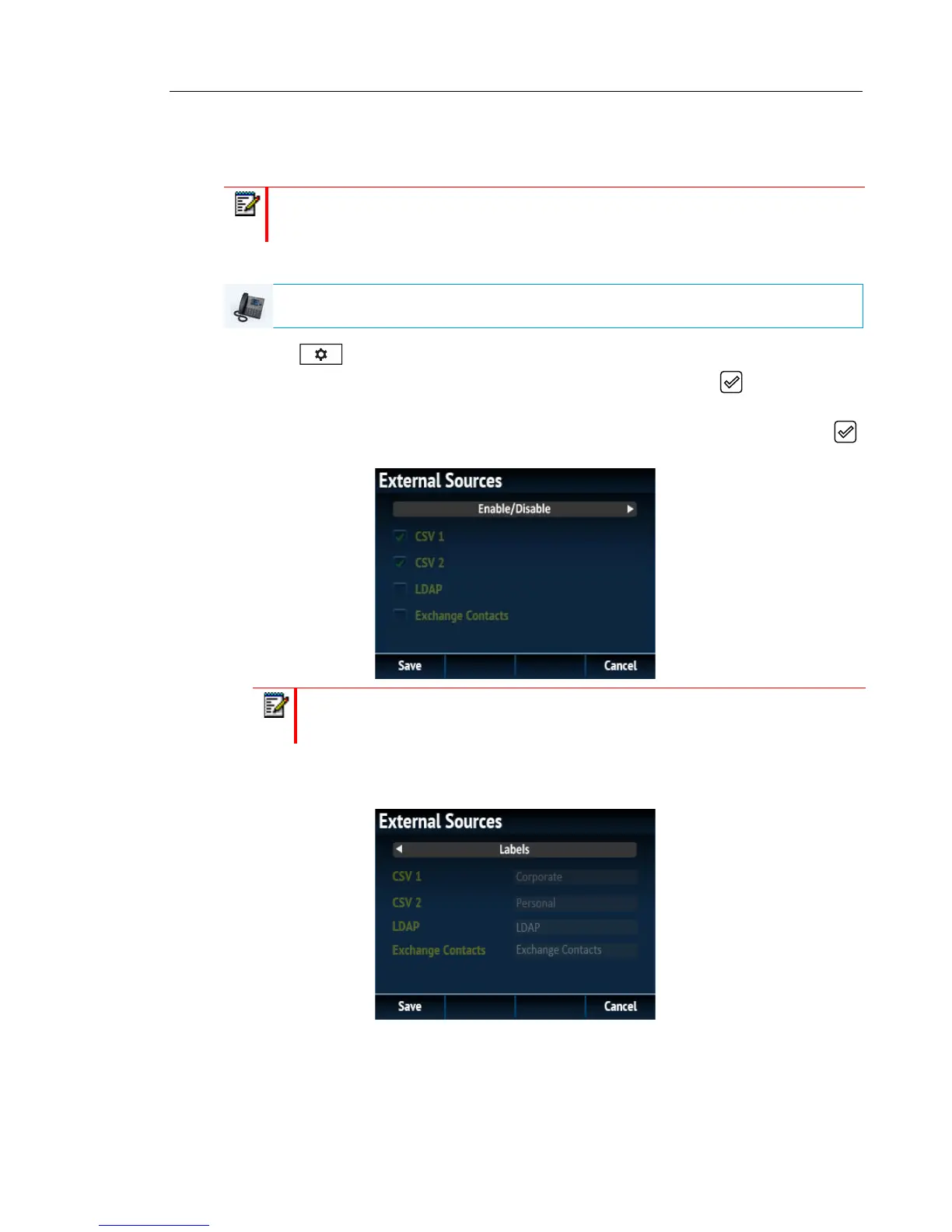
1. Press on the phone to enter the Options List.
2. Navigate to the Directory > External Sources option and press the button or Select
softkey.
3. Use the 2 and 5 keys to navigate through the list of Directory sources and press the
button to enable or disable each one as per your preference.
4. Press the 5 key to navigate to the Enable/Disable tab, and press the 4 key to switch to
the Labels tab.
5. Use the 2 and 5 keys to navigate through the list of Directory source labels and using the
dialpad keys enter in a name for the respective directory folders.
6. Press the Save softkey to save your changes.
Note: Menu available only if external Directory sources have been configured by your
Administrator.
IP PHONE UI
Note: CSV 1 and 2 are enabled by default. All other Directory sources are disabled
by default.



 To Next Page