Mitel 6869i SIP Phone Release 4.0.0 SP1 User Guide
LAST CALL RETURN KEY
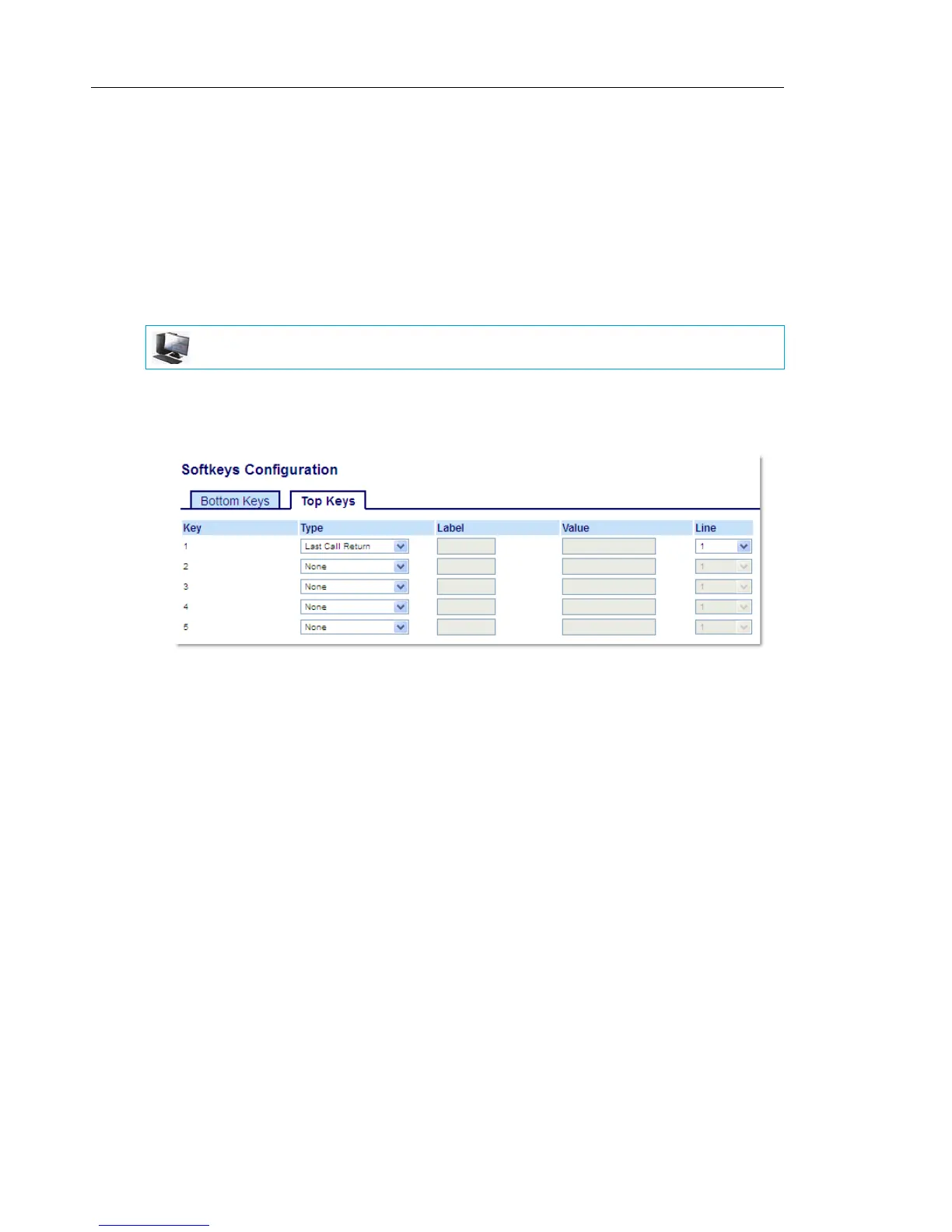
Using the Mitel Web UI, you can configure the Last Call Return function on a key. If you configure
Last Call Return on a key, and a call comes into your phone, after you are finished with the call
and hang up, you can press the key configured for Last Call Return and the phone dials the
last call you received. When you configure an Last Call Return key, the label LCR displays
next to that key on the IP phone. When the Sylantro call manager detects an Last Call Return
request, it translates this request and routes the call to the last caller.
CONFIGURING A LAST CALL RETURN KEY USING THE MITEL WEB UI
1. Click on Operation > Softkeys and XML.
or
Click on Operation > Expansion Module <N>.
Softkeys
2. Select from Key 1 through Key 44 on the Top keys.
or
Select from Key 1 through Key 24 on the Bottom keys.
3. In the Type field, select Last Call Return.
4. In the Line field, select the line you want to apply to this key.
Valid values are 1 through 24.
5. In the state fields, check (enable) or uncheck (disable) the states you want to apply to this
softkey.
Expansion Module Keys
6. Select from Key 1 through Key 16 (M680i) or Key 84 (M685i).
7. In the Type field, select Last Call Return.
8. In the Line field, select the line you want to apply to this key.
Valid values are 1 through 24.
9. Click Save Settings.
MITEL WEB UI



 To Next Page