Mitel 6869i SIP Phone Release 4.0.0 SP1 User Guide
SPEED DIAL/CONF
The 6869i allows you to configure a softkey or expansion module key to be used as a speed
dial conference key (Speed Dial/Conf key) while remaining in the current call. This key allows
a user on a call to conference another party at a pre-defined number while remaining in the call.
For example, while on an active call, a user can use the Speed Dial/Conf key to dial a recording
service and have the resulting conference recorded.
If you configure a softkey or expansion module key as a Speed Dial/Conf key and you press
this key while on an active call, the focused line changes to the dialing line. A Cancel softkey
displays on the phone allowing you to abort the conference speed dial if required.
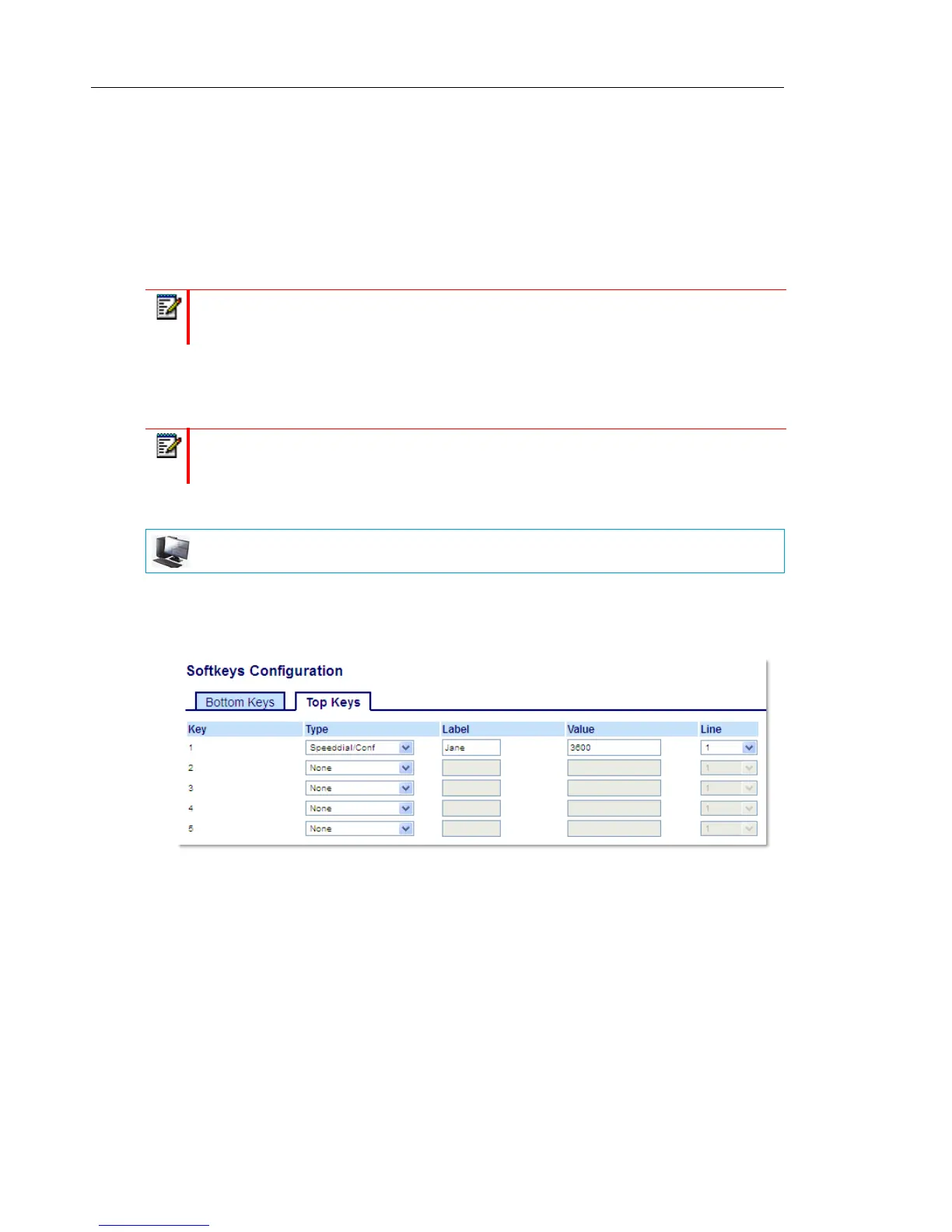
CONFIGURING A SPEED DIAL/CONF KEY USING THE MITEL WEB UI
1. Click on Operation > Softkeys and XML.
or
Click on Operation > Expansion Module <N>.
Softkeys
2. Select from Key 1 through Key 44 on the Top keys.
or
Select from Key 1 through Key 24 on the Bottom keys.
3. In the Type field, select Speed Dial/Conf.
4. In the Label field, enter a label for the Speed Dial/Conf key.
5. In the Value field, enter the speed dial extension or the extension to add to the conference
(for example, 3600).
Note: If currently in a conference, the Speed Dial/Conf key is disabled on the active call.
Note: This feature is not compatible with centralized conferencing.
MITEL WEB UI



 To Next Page