CONFIGURING A BLF/XFER KEY USING THE MITEL WEB UI
1. Click on Operation > Softkeys and XML.
or
Click on Operation > Expansion Module <N>.
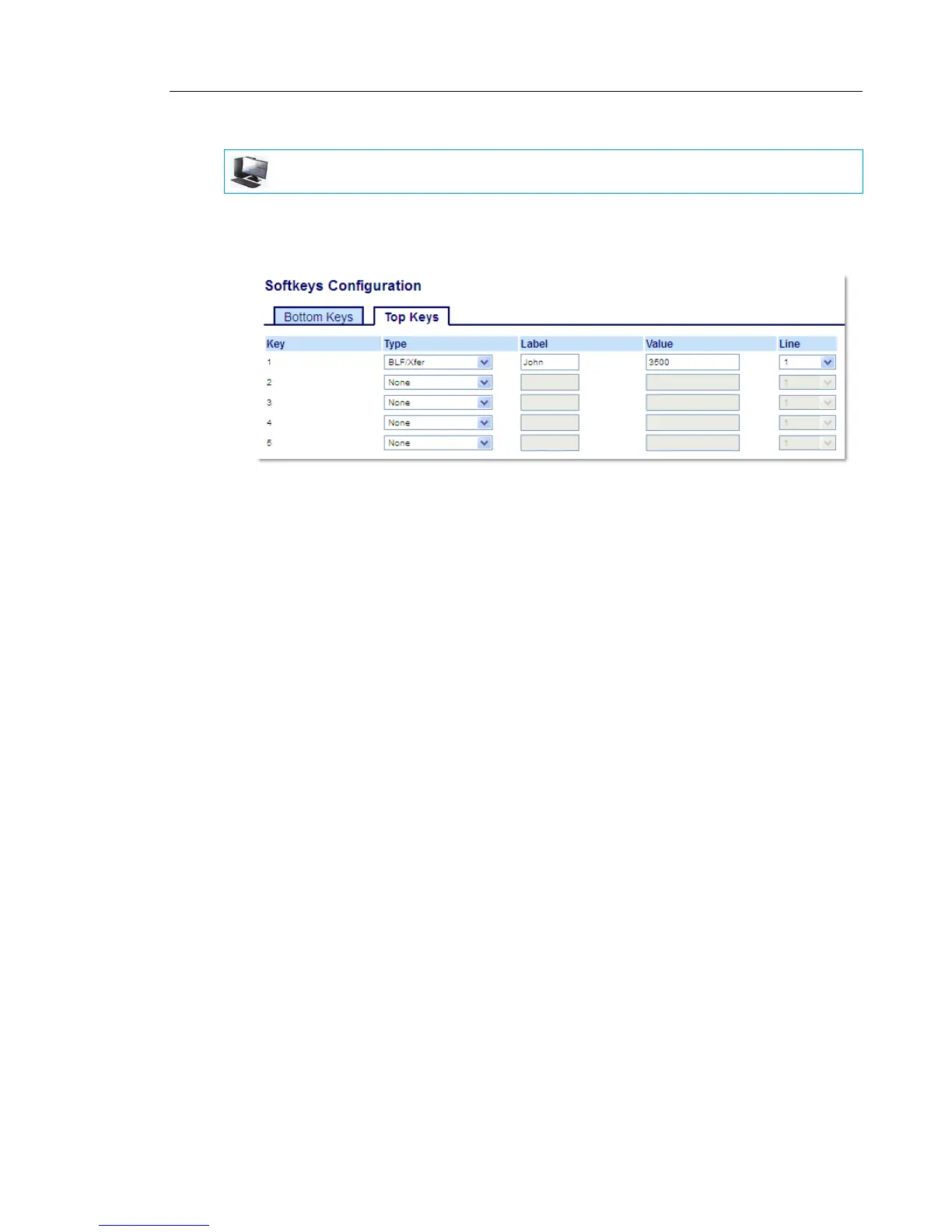
Softkeys
2. Select from Key 1 through Key 44 on the Top keys.
3. In the Type field, select BLF/Xfer.
4. In the Value field, enter the monitored extension or the extension to transfer calls to (for
example, 3500).
5. In the Line field, select the line for which you want to use the key functionality.
Valid values are:
• global
• 1 through 24
Expansion Module Keys
6. Select from Key 1 through Key 16 (M680i) or Key 84 (M685i).
7. In the Type field, select BLF/Xfer.
8. In the Value field, enter the monitored extension or the extension to transfer calls to (for
example, 3500).
9. In the Line field, select the line for which you want to use the key functionality.
Valid values are:
• global
• 1 through 24
10. Click Save Settings.
MITEL WEB UI



 To Next Page