CONFIGURING DND USING THE MITEL WEB UI
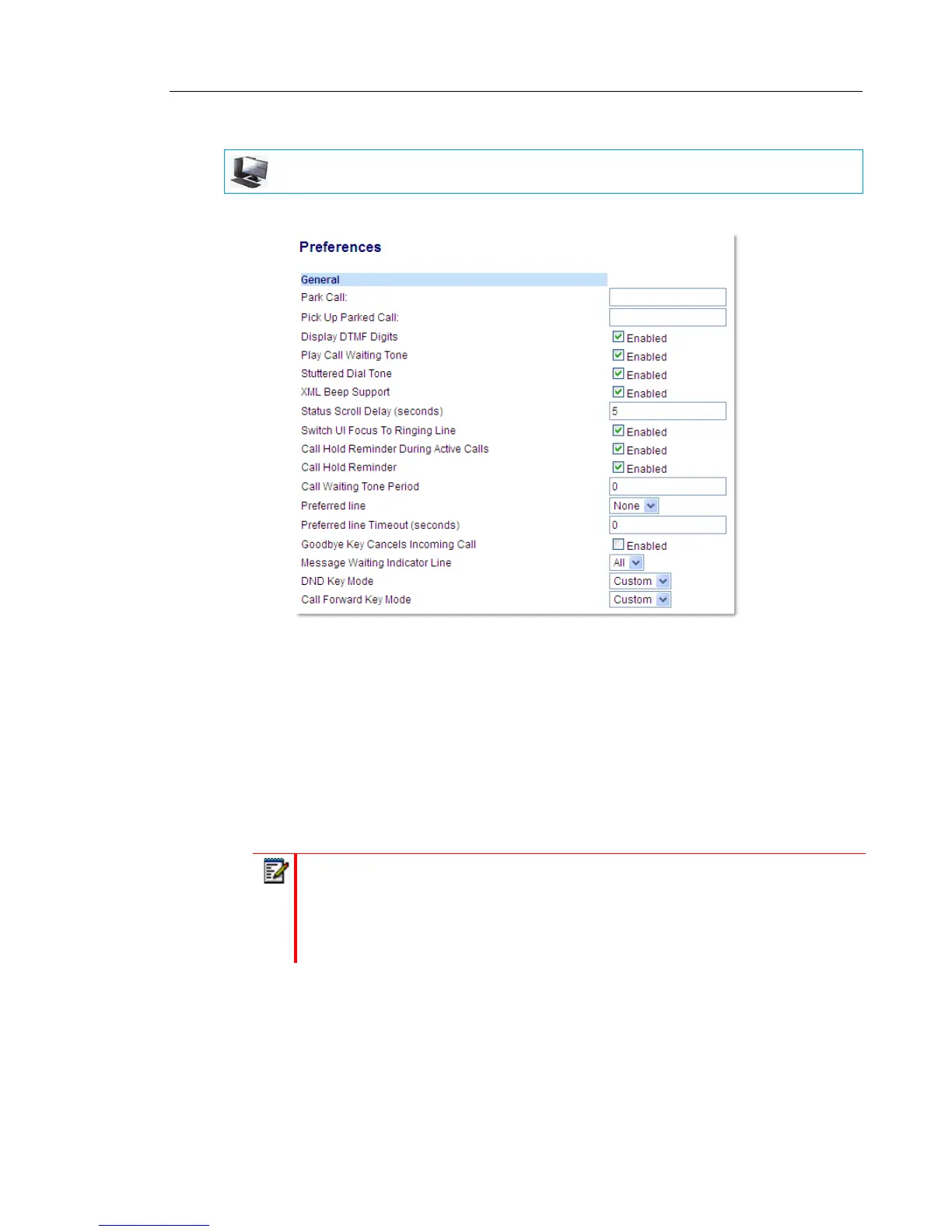
1. Click on Basic Settings > Preferences > General.
2. In the DND Key Mode field, select a DND mode to use on the phone.
• Account: Sets DND for a specific account. DND key toggles the account in focus on
the phone to on or off.
• Phone (default): Sets DND on for all accounts on the phone. DND key toggles all
accounts on the phone to on or off.
• Custom: Sets the phone to display custom screens after pressing the DND key that list
the account(s) on the phone.
The user can select a specific account for DND, turn DND on for all accounts, or turn DND
off for all accounts.
3. Click Save Settings.
The changes takes affect immediately without a reboot.
MITEL WEB UI
Notes:
1. If there is only one account configured on the phone, then the mode setting is
ignored and the phone behaves as if the mode was set to Phone.
2. Using the Mitel Web UI, if you change the DND Key Mode to Phone, all accounts
synchronize to the current setting of Account 1.



 To Next Page