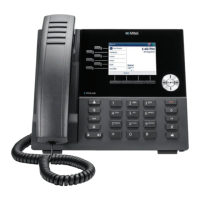
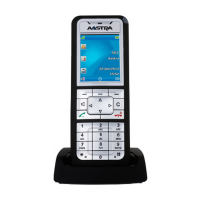
118 Mitel 6940 SIP
eud-1765/2.0 – R6.0 – 06.2018
Reception phone
Note: Check-out is also available through the menu: Menu > Reception menu >
Room configuration > Enter room number > Check-out.
Managing wake-up calls
A guest wants to be woken up at a specific time.
As a receptionist, you can set, modify, or delete the wake-up time for the
guest's room.
You can manage wake-up calls while in conversation with a guest. When
you are in conversation with a guest, the wake-up calls option is simplified.
The room number for the call in speech is pre-entered in the screen for
entering the room number.
Check out a guest
Press the Check-in/check-out key for the room the guest has occupied or go
to the Reception menu on the reception phone for check-out.
➔ The softkey icons indicate the room status: whether the room is free,
occupied, occupied by members of a group, cleaned, not cleaned, and so
on.
Enter the room number and press Ok. You can use the Room list menu to
check whether the room is occupied for an individual or reserved for a group.
➔ A screen appears for check-out confirmation, which displays the call
charges for the room.
To print the bill, on the report displaying Check-out with/without printout?,
select With as your response to print a bill for the room.
➔ The guest is checked out.
➔ The telephone returns to the idle status and the room status changes to
Free.
Set wake-up call
Press the predefined function key to set the wake-up call or go to the Recep-
tion menu > Wake-up calls on the reception phone.
➔ The phone displays a list of wake-up calls in chronological order with
expired calls at the top.
Press the key Add.
➔ The phone displays the screen for entering the room number.


 To Next Page