DISASSEMBLY PROCEDURE
PHOTOS
99
22.
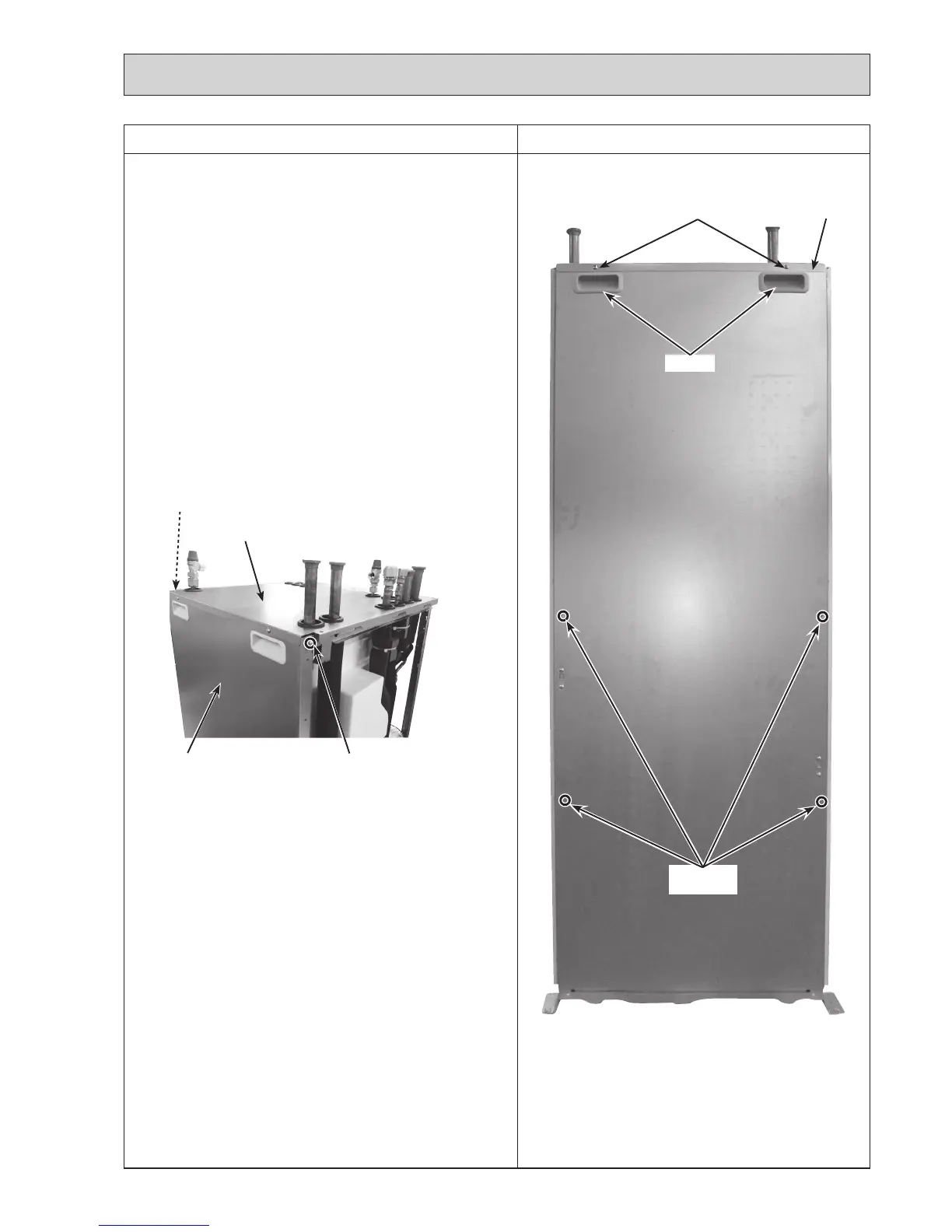
How to remove the back panel
(1) Remove the front panel (Refer to Procedure 1).
(2) Remove the side panels (Refer to Procedure 21).
(3)Removethe4screwsonthebackpanel,andremovethe
2screwsthatholdthebackpanelontotheframe.Then
pulloutthebackpanelwhileliftingthetoppanel.(Photos
22-1 and 22-2)
Note:
Thehandlesareremovedbypushingthemup.
Photo 22-1
Handles
Top panel
Screws
(Back panel)
Screws(Toppanel)
Photo 22-2
Top panel
Screw
Back panel
Thephotoshowstheleftside.
Theoppositesidealsohasthescrewtobe
removed on the same position.
Screw(oppositeside)

 To Next Page
 Loading...