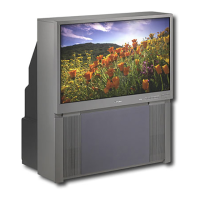
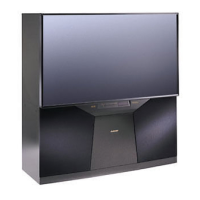
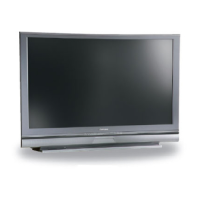
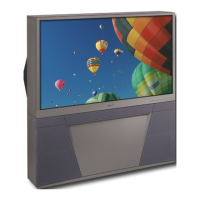
MODELS: WS-48315 / WS-55315 / WS-65315
Page 3
INTRODUCTION .................................................................................................................................. 5
PRODUCT SAFETY NOTICE ............................................................................................................ 5
SAFETY PRECAUTIONS................................................................................................................... 6
DISASSEMBLY PROCEDURES .......................................................................................................... 7
WS-48315
Front Cabinet Components ..................................................................................................... 7
Rear Cabinet Components ...................................................................................................... 8
WS-55315 / WS-65315
Front Cabinet Components ..................................................................................................... 9
Rear Cabinet Components .................................................................................................... 10
SERVICING THE LENTICULAR SCREEN AND FRESNEL LENS ...................................................... 11
WS-48315
Removal of the Lenticular Screen and Fresnel Lens ............................................................... 11
WS-55315 / WS-65315
Removal of the Lenticular Screen and Fresnel Lens .............................................................. 12
Installation of the Lenticular Screen and Fresnel Lens ................................................................... 13
CABINET SEPARATION PROCEDURES ........................................................................................... 14
WS-65315 ...................................................................................................................................... 14
SERVICING THE DIAMONDSHIELD™ ............................................................................................. 15
DiamondShield Removal ................................................................................................................. 15
DiamondShield Installation ............................................................................................................. 15
SERVICING PCBs ............................................................................................................................. 16
Chassis Removal ........................................................................................................................... 16
PCB Locations ............................................................................................................................... 16
Major Parts Locations .................................................................................................................... 16
ANODE LEAD REMOVAL .................................................................................................................. 17
CRT REPLACEMENT ........................................................................................................................ 17
CRT Removal ................................................................................................................................. 17
CRT Installation .............................................................................................................................. 18
ELECTRICAL ADJUSTMENTS ....................................................................................................... 20
Equipment ..................................................................................................................................... 20
Initial Setup .................................................................................................................................... 21
LED Indicator Diagnostics .............................................................................................................. 22
Circuit Adjustment Mode ................................................................................................................ 23
Convergence Adjustment Mode ...................................................................................................... 24
Adjustment Items List .................................................................................................................... 26
CONTENTS


 To Next Page
 Loading...