Operating Instructions MG3 Digital
Operation
76609409EN-BA-MG3D-V1_6.docx 26/82 2010-08-02
4.1.3 Board Slot for Compact Flash Card or MicroDrive
You can either insert a CompactFlash™ card or a MicroDrive™ into the slot for compact
flash (CF) card(s) type I or II or for a MicroDrive (MD).
Only use CompactFlash-Cards supporting IDE-standard tested from our company.
You can get these tested cards from us.
Loss of data!
Before pulling out the compact flash card or MicroDrive from the notebook or PC you will
need to disable them on the software side.
Only insert the compact flash card or MicroDrive into the slot of measuring instrument
MG3 Digital when the equipment is switched off.
Caution
4.1.4 Knob/pushbutton Combination
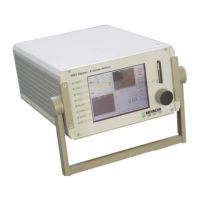
The knob/pushbutton combination is the central operating element of measuring
instrument MG3 Digital.
You carry out all settings through the knob/pushbutton combination:
• A rotary movement selects the menu items. Depressing the knob/pushbutton
combination enables the selected element (switch, selection field, quadrant, etc.).
• Grayed option points or parameters are disabled and cannot be selected.
Input fields are:
• Buttons that trigger a certain action when depressed
• Switches that have two switching conditions
• Selection fields that allow selection from a list of options
• Entry fields that allow entry of numbers. Pressing upon a button once transfers you
to the quick-edit mode where you can change the whole number. Pressing twice
takes you to the precision editing mode where you can change any individual digit.
• Pressing the knob/pushbutton combination once more takes you back to the entry
field.
If the MG3 Digital, during booting, has detected that no WKT card was inserted, then only
those parameters are offered that can be represented on account of current and voltage
measurements.
4.1.5 UNDO Function
The menu bar offers the button UNDO for all windows where parameters can be set. As long as you are in this
window, you may cancel the last 50 entries by that.


 To Next Page