Operating Instructions MG3 Digital
How to …?
76609409EN-BA-MG3D-V1_6.docx 58/82 2010-08-02
5.14 Determining and Changing Password
Procedure
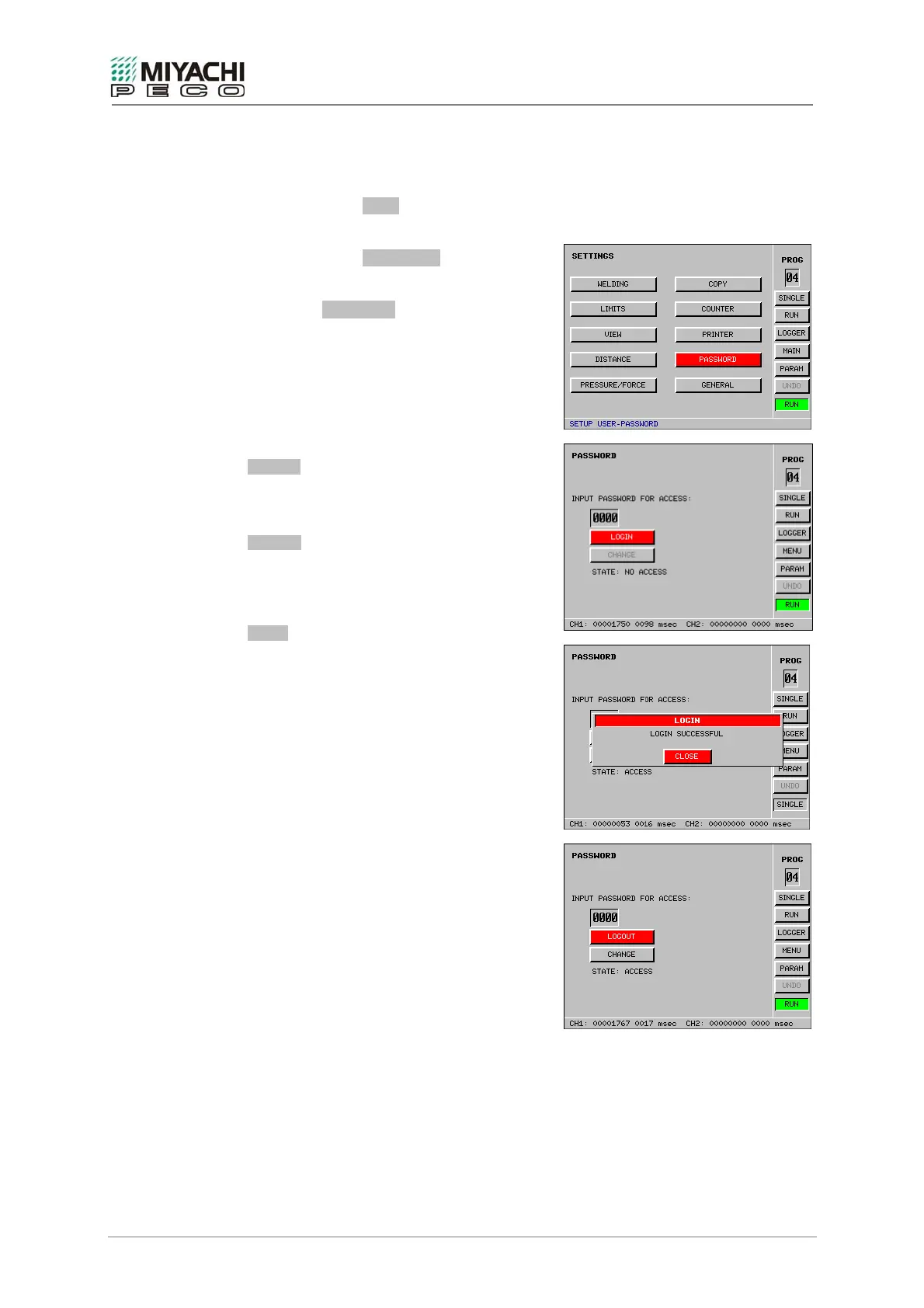
• Select button MENU with the
knob/pushbutton combination and depress
button.
• Select button PASSWORD with the
knob/pushbutton combination and depress
button.
• Screen PASSWORD opens, and now you
may perform all necessary settings.
LOGOUT
You can logout through this button.
You can only carry out changes having logged
on with the correct password.
CHANGE
If you have correctly logged on, you can change
the password.
STATE
Indicates whether you are authorized for access
or not.
Note
Password on delivery: 0000
If you should have forgotten your password,
please contact our service department.


 To Next Page