Operating Instructions MG3 Digital
How to …?
76609409EN-BA-MG3D-V1_6.docx 41/82 2010-08-02
5.7 Measuring Pressure or Force
Preparations
The WKT card also allows measuring pressures
or forces as option.
• Switch off measuring instrument
MG3 Digital.
• Attach the sensors to the welding
installation.
• Connect the pressure or force sensors to
the adapter.
• Connect the adapter to socket X31 on the
rear side of the equipment.
• Switch on again measuring instrument
MG3 Digital.
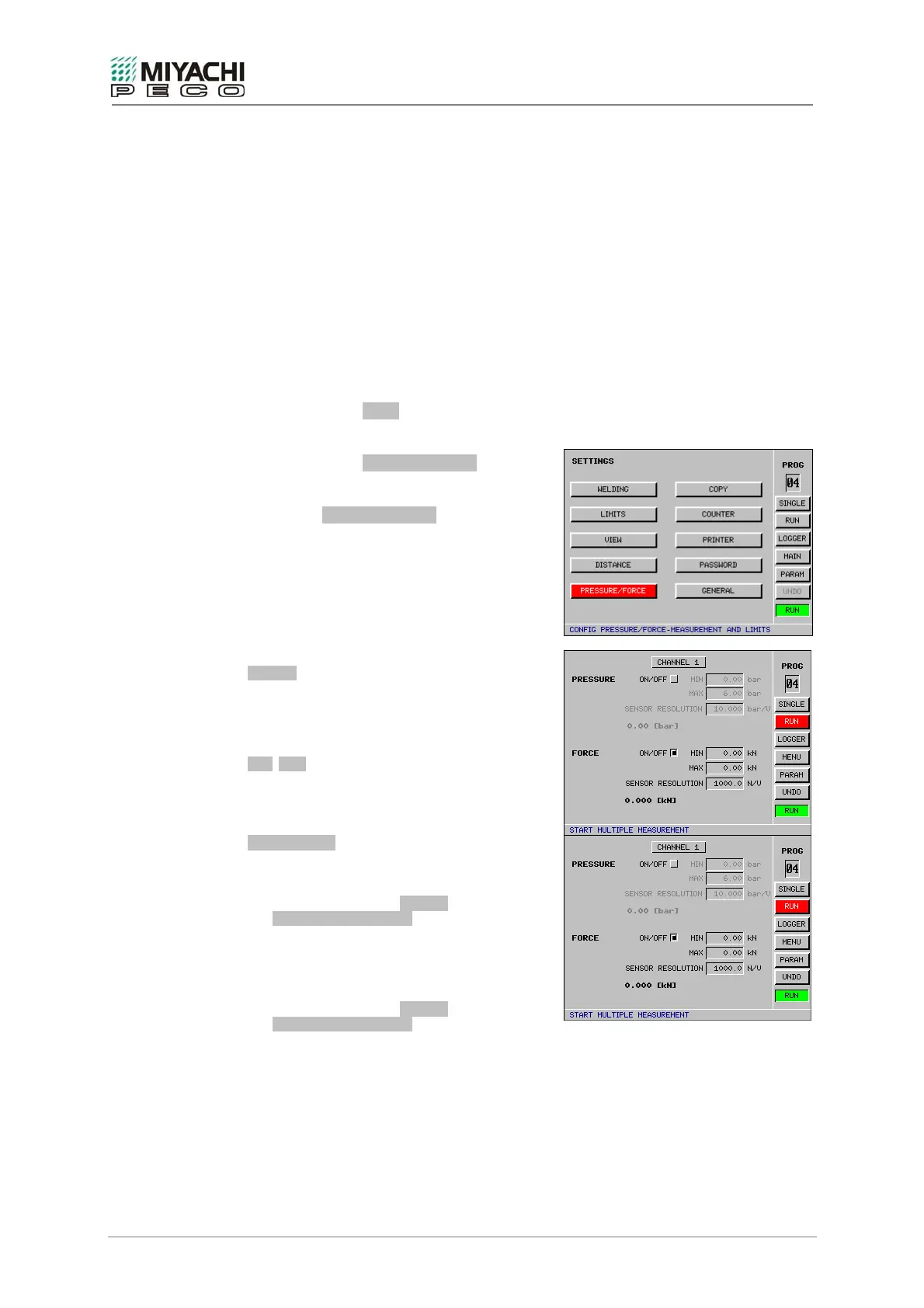
• Select button MENU with the
knob/pushbutton combination and depress
button.
• Select button PRESSURE/FORCE with the
knob/pushbutton combination and depress
button.
• Screen PRESSURE/FORCE opens, and now
you may perform all necessary settings.
Configuring pressure/force measurement
ON/OFF
Enables/disables pressure or force
measurement. Both buttons are software-
latched against each other so that only one
quantity can be measured.
MIN/MAX
Values for the minimum/maximum permissible
pressure or force.
If both values are zero, the monitoring is
deactivated.
SENSOR TYPE
Pressure sensor
Pressure sensors with a linear curve should be
used. The no-load measured value for the
sensor is entered in the OFFSET field. Input in
the SENSOR RESOLUTION field is realized in
bar/V or psi/V.
The maximum possible resolution is 10 bar/V.
Force sensor
Force sensors with a linear curve should be
used. The no-load measured value for the
sensor is entered in the OFFSET field. Input in
the SENSOR RESOLUTION field is realized in
N/V or lbs/V.
The maximum possible resolution is 1000 N/V.


 To Next Page