Operating Instructions MG3 Digital
How to …?
76609409EN-BA-MG3D-V1_6.docx 60/82 2010-08-02
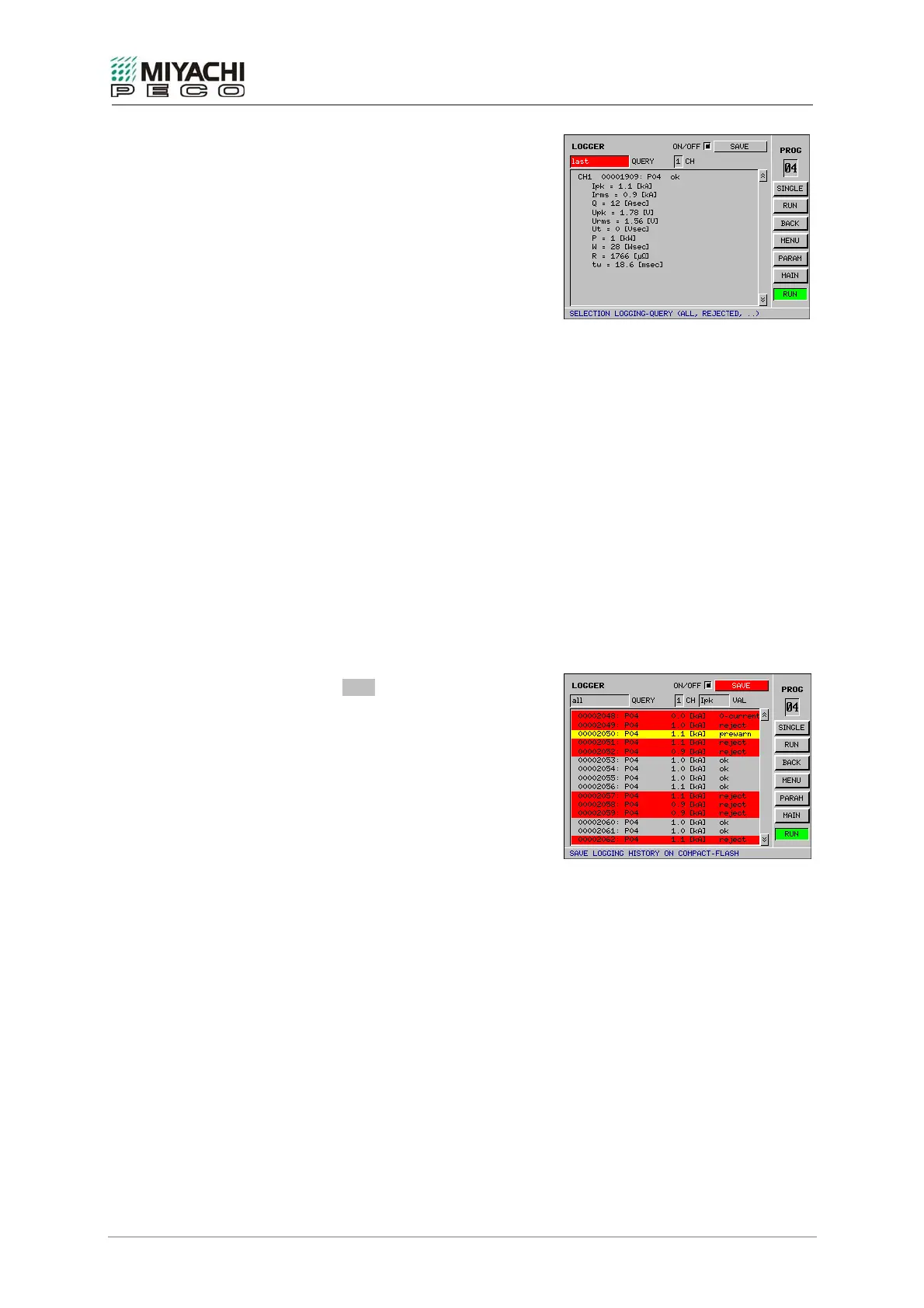
Additional information relating to individual
measurements is shown in the detailed view
(last measurement):
- a) Display of which measurement
variable has exceeded the limits/pre-
warning limits.
- b) Display of the direction in which the
limits/pre-warning limits were
exceeded:
- +: exceeded upwards
- -: exceeded downwards
- ±: exceeded in both directions
- HK: if the current measurement
waveform lies completely or partially
outside the active envelope waveform
Notes
• The logger saves approx. 2500 measurements intermediately per channel. The
contents are then saved in a log file and logging commences anew.
The log file has the file suffix *.log and has a format compatible with *.csv in which
time, date, counter number, program number, measurement values and status
information on the measurement are saved in the form of a table.
The overall measurement status is illustrated with the following symbols:
V...positive measurement, no pre-warning
X...negative measurement
!... positive measurement, but pre-warning active
%..invalid measurement (range exceeded,...)
O... negative measurement (zero current)
The details indicate the direction in which the limit value was exceeded with + and -.
( ) indicates exceeded pre-warning limits, while {} indicates the exceeding of a limit
determined by an envelope waveform.
• Select the SAVE button with the
knob/button and press the button if you
wish to save values logged up until the
present point in time.


 To Next Page