Operating Instructions MG3 Digital
How to …?
76609409EN-BA-MG3D-V1_6.docx 63/82 2010-08-02
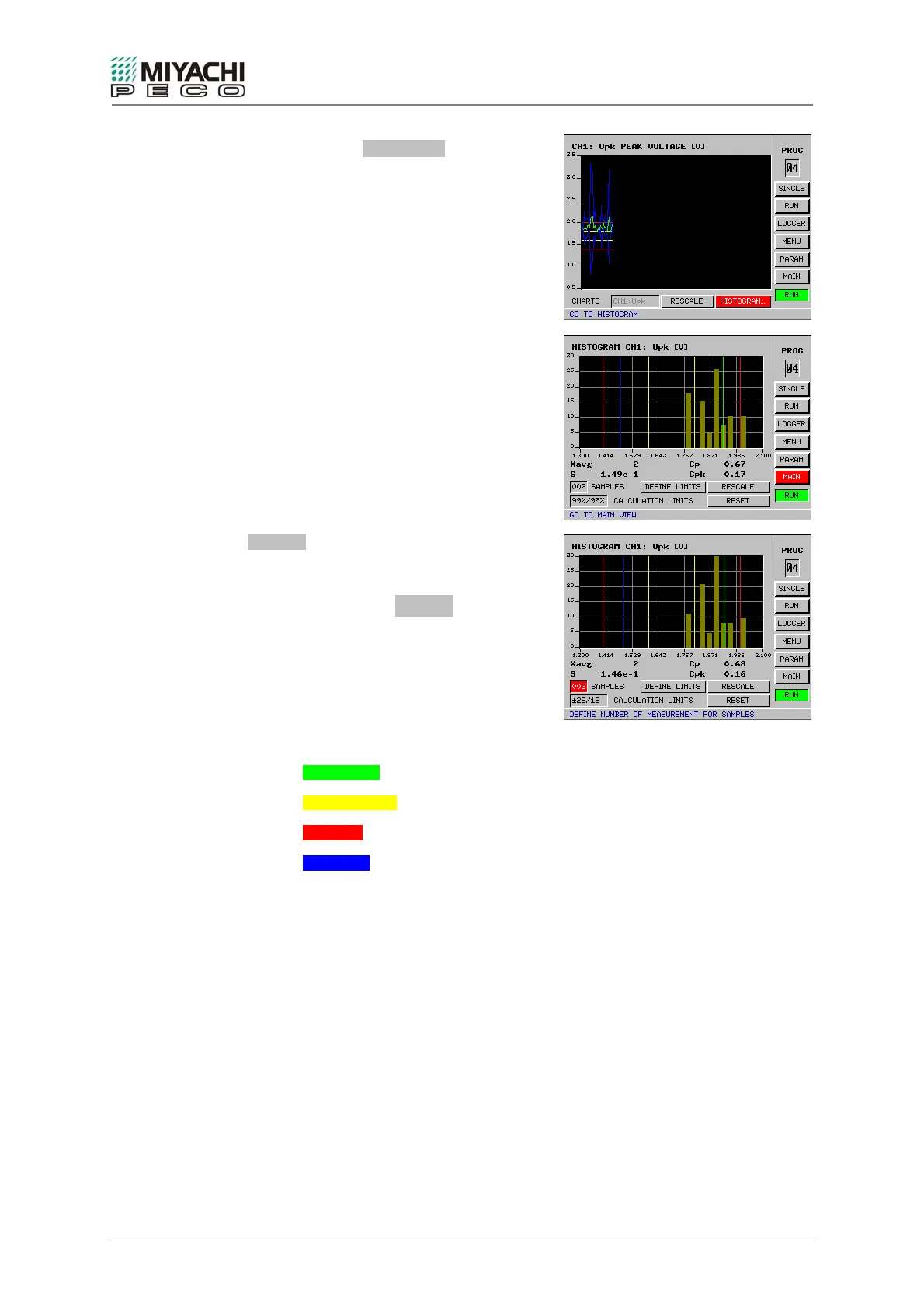
• Select button HISTOGRAM with the
knob/pushbutton combination and depress
button.
• Screen Histogram opens, and now you may
perform all necessary settings.
SAMPLES
Through this selection field, you determine the
number of measurements for a sample which
shall establish the statistic.
The value in input field SAMPLES must be 1.
≥
Colors
The colors in the histogram have the following
meaning:
- GREEN LINE
= average value (Xavg)
- YELLOW LINES
= marginals
- RED LINE
= limits
- BLUE LINE
= standard deviation S (+/-3 sigma)


 To Next Page