4.4.3 REVERSE LCD
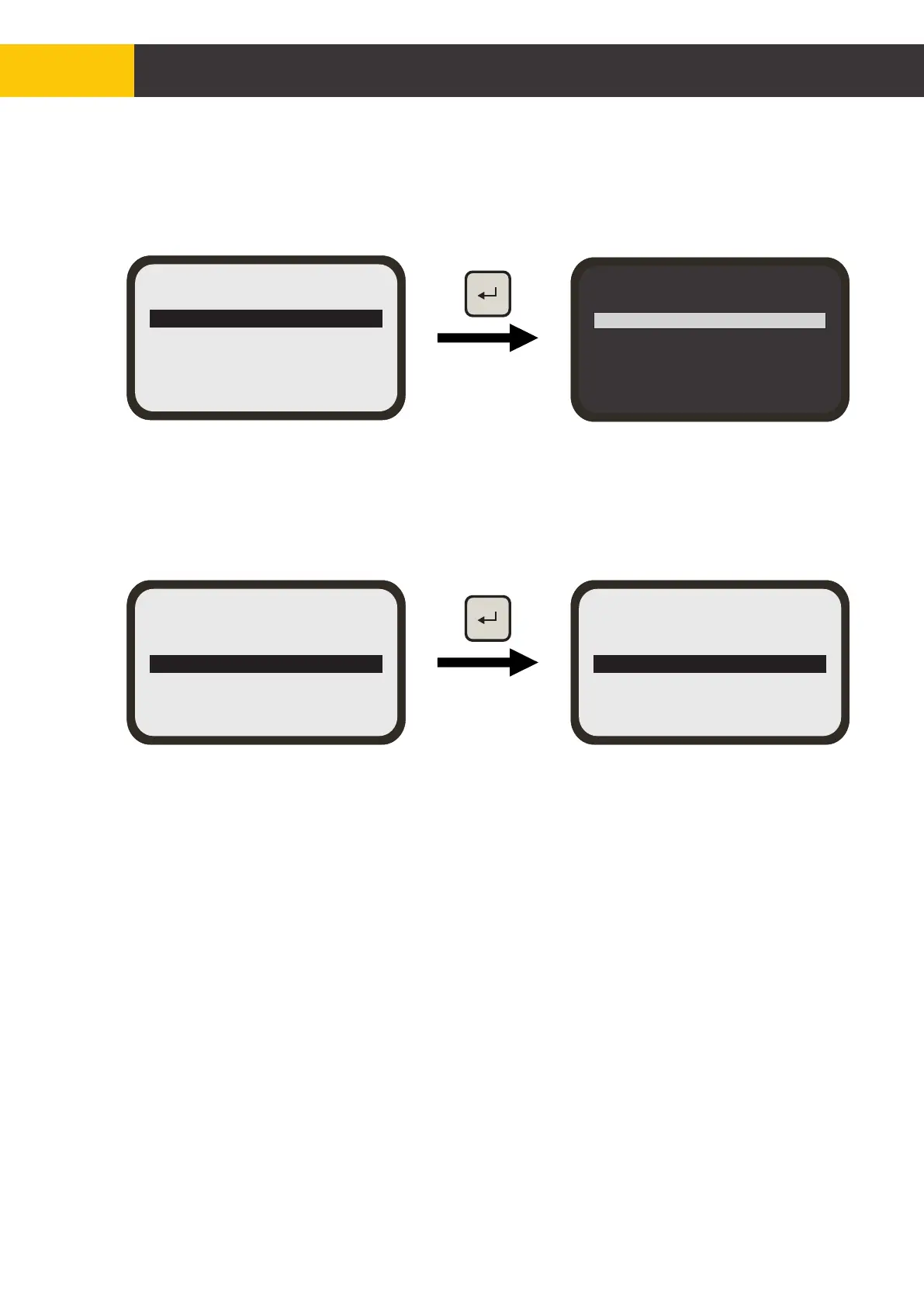
Use [AUX] key to highlight the Reverse LCD’ setting then press [ENTER] key to reverse
the default LCD colour settings.
The ‘LED Brightness’ setting will start to flash and the panel LEDs will turn ON to show
the brightness.
Using [AUX] key, adjust the ‘LED Brightness’ to suit your eyes and cabin light
conditions.
Press [ENTER] key when done.
4.4.4 LED BRIGHTNESS
Using [AUX] key to highlight the ‘LED Brightness’ setting then press [ENTER] key to
show the current LED brightness level.
LCD Backlight
LCD Contrast
Reverse LCD
LED Brightness
Exit
LCD Backlight
LCD Contrast
Reverse LCD
LED Brightness = 4
Exit
Figure 4.4.4.1
LCD Backlight
LCD Contrast
Reverse LCD
LED Brightness
Exit
LCD Backlight
LCD Contrast
Reverse LCD
LED Brightness
Exit
Figure 4.4.3.1
© Copyright MOBA Mobile Automation Australia Pty Ltd
30
Working with Panel


 To Next Page