6.3 ADJUSTING MAST POSITION
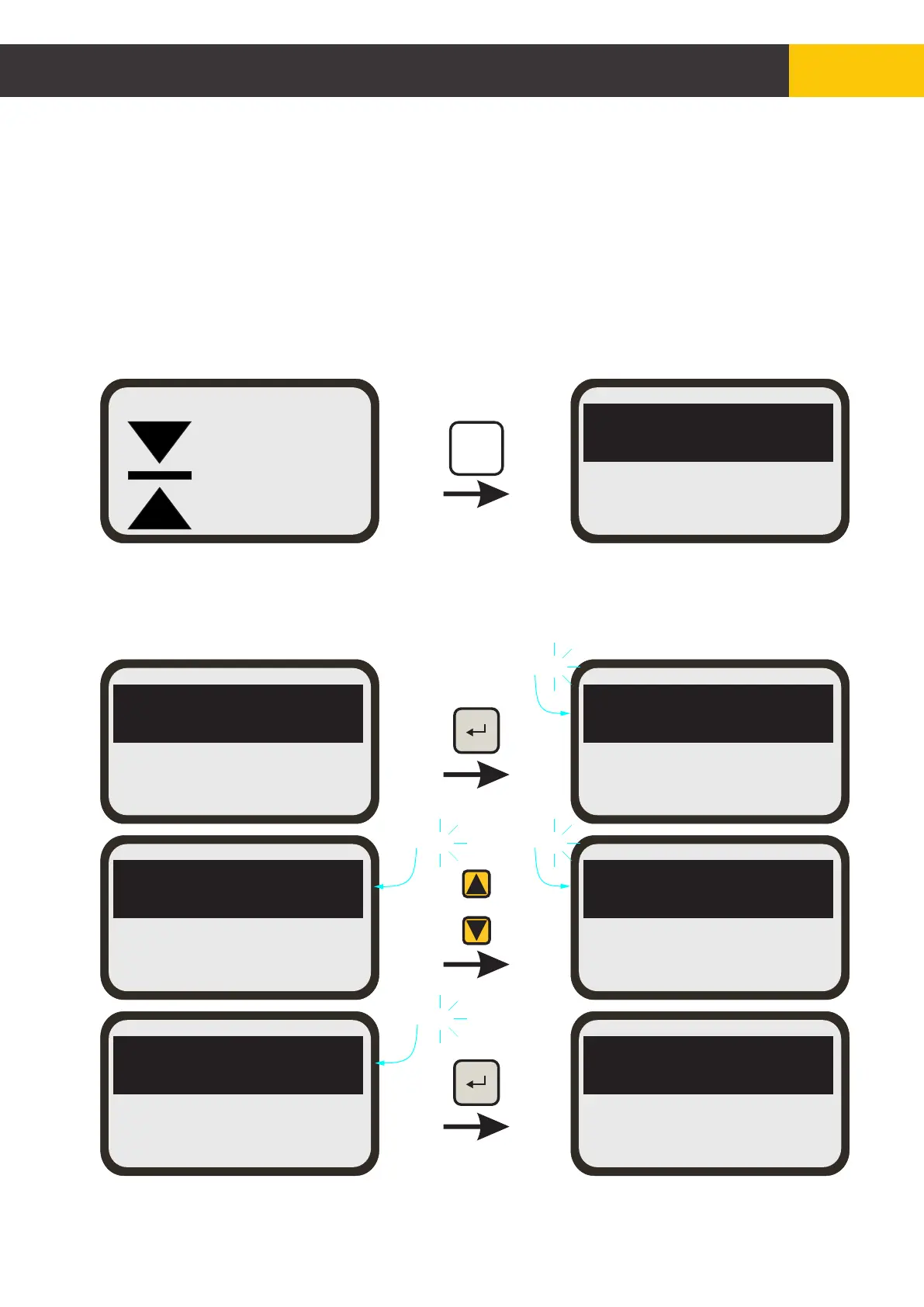
Basic mast position adjustment is done with [MAST] key. Pressing [ZERO] key will set the
current mast position to zero.
The reference menu allows to program and memorise 4 positions for quick use in quick
position change.
To access the reference menu press the [MAST REF] key from the mast working menu
then select a reference slot.
After selecting a reference slot press [ENTER] key and the selection will flash.
Use [AUX] key to select and set a new reference point, then press [ENTER] key to confirm
the new reference point setting.
R1=+0008
R2=+0000
R1=+0008
R2=+0000
R1=+0008
R2=+0000
RO1=+0008
RO2=+0000
RO1=+0020
RO2=+0000
RO1=+0020
RO2=+0000
RO1=+0020
RO2=+0000
AUX
Flashing
Flashing
Flashing
Flashing
+0110
MAST
[mm]
MAN
MAST
REF
© Copyright MOBA Mobile Automation Australia Pty Ltd
Mast Mode of Operation
49
Figure 6.3.1


 To Next Page