6.4 RELATIVE OFFSET
USING THE PANEL KEYS
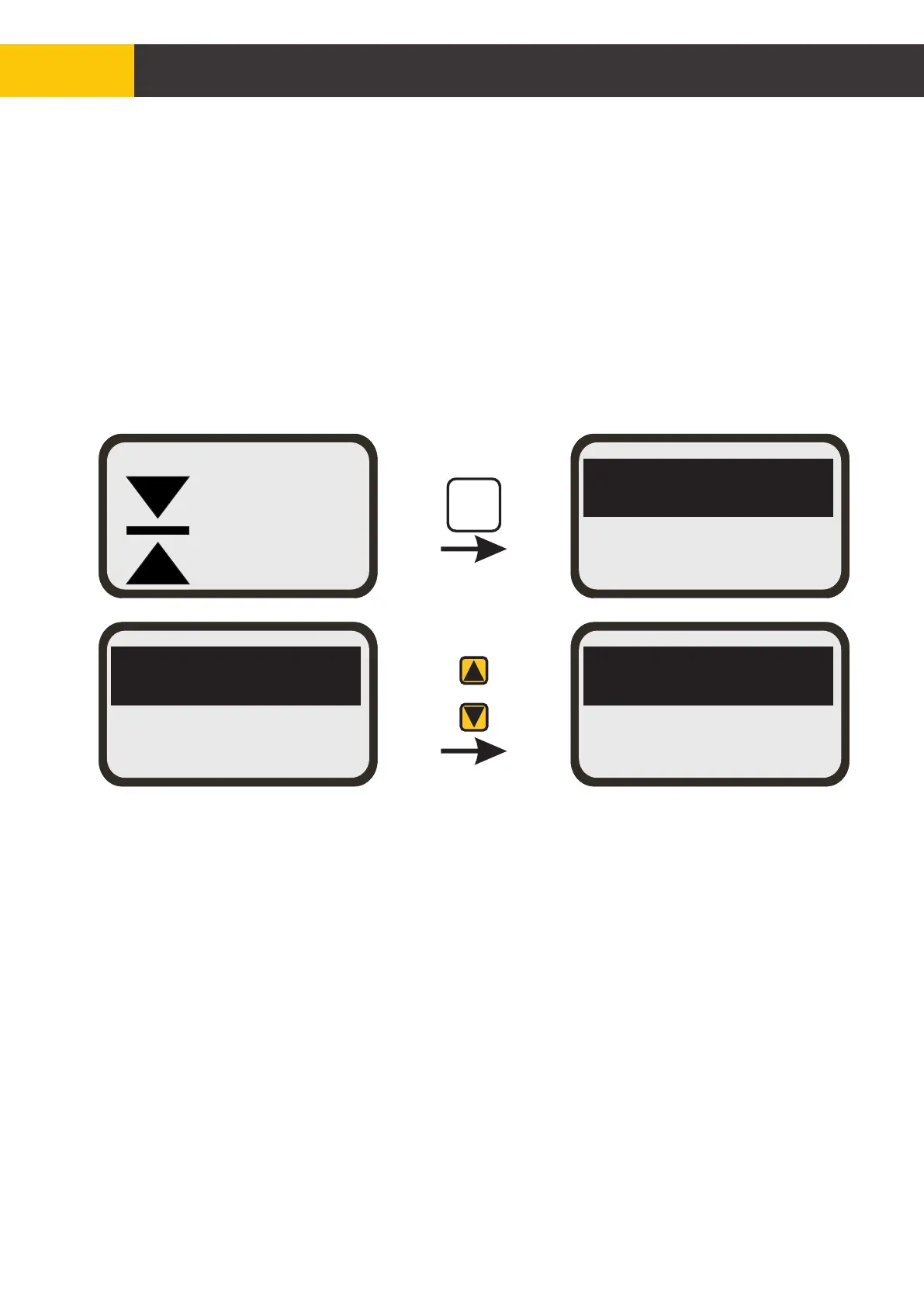
The mast can be adjusted to an offset value that is setup in the mast reference offset (RO1
and RO2).To set the offset value;
1. Press the [MAST REF] key from the mast working screen.
2. Scroll down using the [AUX] down arrow to select either RO1 or RO2.
3. Press the [ENTER] button to enable changes in value to be made.
4. Once the value for RO1 and RO2 are set, scroll down using [AUX] down arrow to exit
and press [ENTER] or simply press the menu button to go back to the mast working
screen.
To adjust the mast height by RO1 offset;
1. Press and hold [MAST REF] button then press the [MAST] up or down arrow key once
to increase or decrease the mast height by amount R01.
2. Upon the release of the [MAST REF] button the mast will move up or down to a value
equal to RO1 offset.
To adjust the mast height by multiple of RO1 offset;
1. Press and hold the [MAST REF] button then press the [AUX] up or down arrow key
multiple times.
2. Upon the release of the [MAST REF] button, the mast will move up or down at a value
equal to RO1 offset multiplied by the number of times the [AUX] up or down arrow key
was pressed. A maximum of 7 presses can be made.
Adjusting the mast height by RO2 offset is the same procedure as with adjusting the mast
height by RO1 offset.
R1=+0008
R2=+0000
R1=+0008
R2=+0000
RO1=0020
RO2=0010
AUX
MAST
REF
+0110
MAST
[mm]
MAN
© Copyright MOBA Mobile Automation Australia Pty Ltd
50
Mast Mode of Operation
Figure 6.4.1


 To Next Page