© Copyright MOBA Mobile Automation Australia Pty Ltd
Working with Sensors
33
5.1.2.1 SETTING DEAD BAND
From the working screen, press the [MENU] key to bring up the settings menu.
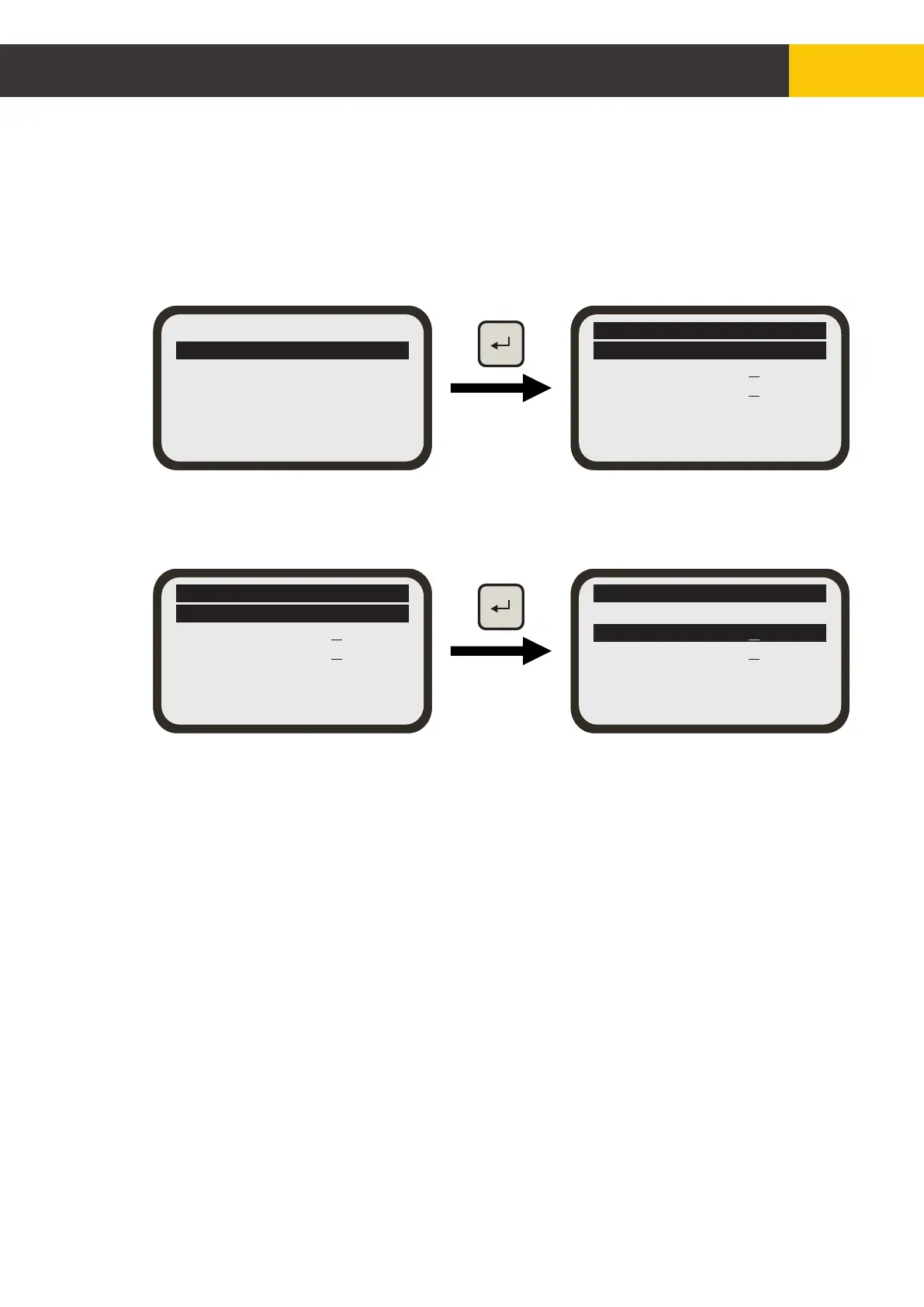
Use the [AUX] key to select the ‘Sensor Settings’ menu. Select ‘General Settings’
then press [ENTER] key.
Select ‘Dead Band’ then press [ENTER] key. The selection will flash. Use the [AUX]
Up/Down button to set the desired value.
Laser P Sensor
General Settings
Calibration
Parameter Settings
Exit
Laser P Sensor
Response = [Off]
Dead Band =+ 1.14%
--%
Exit
Control Range= [Off]
Prop Range =+ 4.8%
Laser P Sensor
Response = [Off]
Dead Band =+ 1.14%
--%
Exit
Control Range= [Off]
Prop Range =+ 4.8%
Laser P Sensor
Response = [Off]
Dead Band =+ 1.14%
--%
Exit
Control Range= [Off]
Prop Range =+ 4.8%
Figure 5.1.2.1.1


 To Next Page