2 OPERATING ELEMENTS
2.1 GRAPHIC DISPLAY
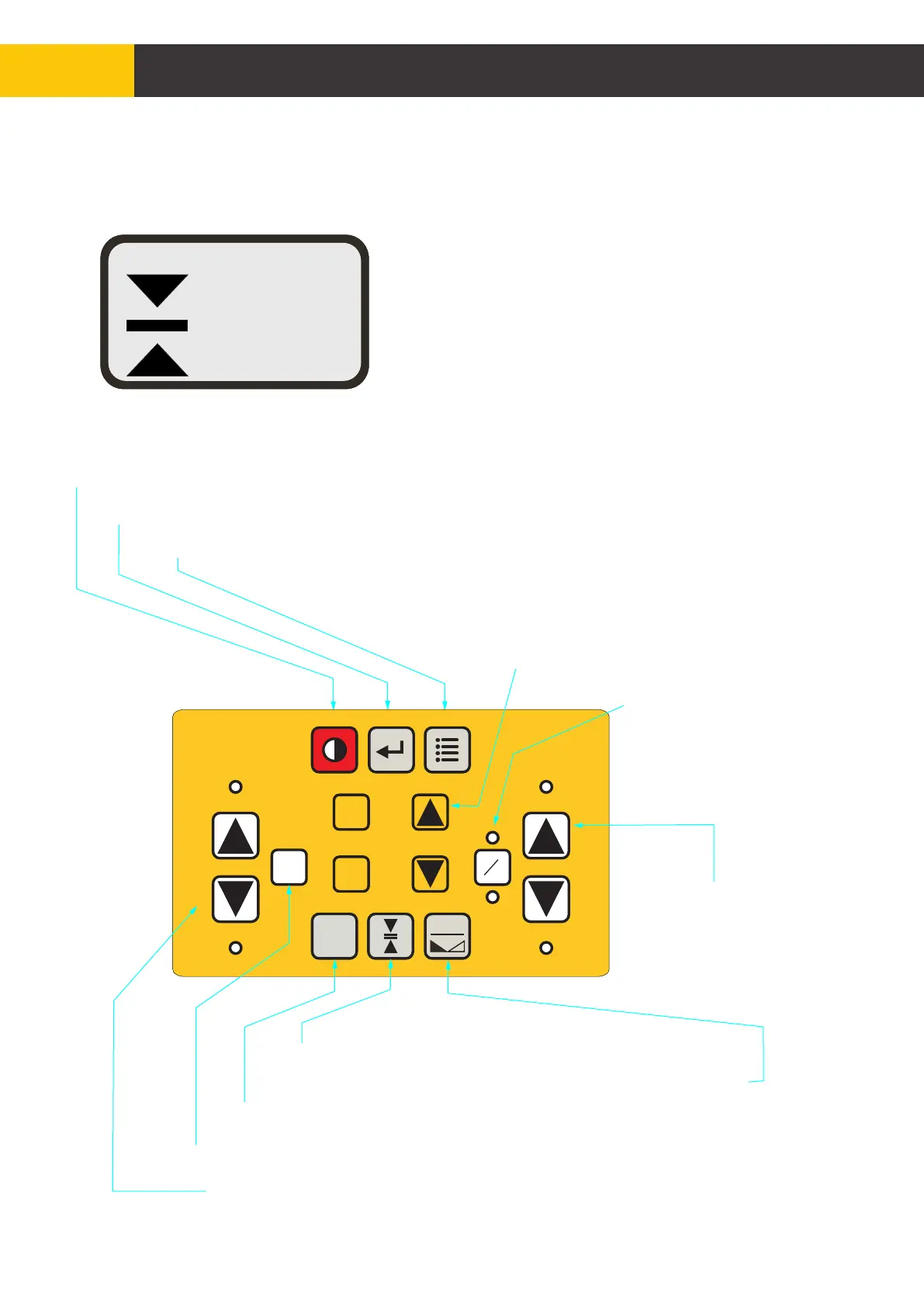
2.2 KEY FUNCTIONS
The graphic display (LCD) indicates the panel
status, sensor reading and sensor dead band
accuracy setting. Menus, parameters, important
information and various settings are displayed
when menus are accessed.
0.82
Ref = 000
Slope [%]
MAN
Power Key - turns the unit ON/OFF
Enter Key - use to accept settings or change settings while in the menu
Menu Key - use to access the configuration menu
A/M Key - changes the
hydraulics valve control
between two operating
modes: manual mode or
automatic mode
Aux Hyd Up and Down Keys -
to scroll through menu options,
to increase or decrease the value of a setting, or
to move auxiliary hydraulic when connected
Hyd Up and Down Keys-
use to manually move
hydraulics in up or
down direction
Grade to Zero Key - set the value of the connected sensor or mast
to zero (not available for all sensor types)
Mast Key - to move the mast up and down
Dead Band - adjust the sensor accuracy (Deadband)
Mast Ref - use to access the mast reference menu.
Hydraulics left/right Key - reverses the sign of offset
UP
DOWN
A
M
ZERO
HYD
MAST
UP
DOWN
MAST
REF
AUX
FUNC
F1
F2
REF
+
-
Figure 2.2.1
Figure 2.1.1
© Copyright MOBA Mobile Automation Australia Pty Ltd
8
User Interface


 To Next Page