51MCP15-500.7
SERVICE & TROUBLESHOOTING
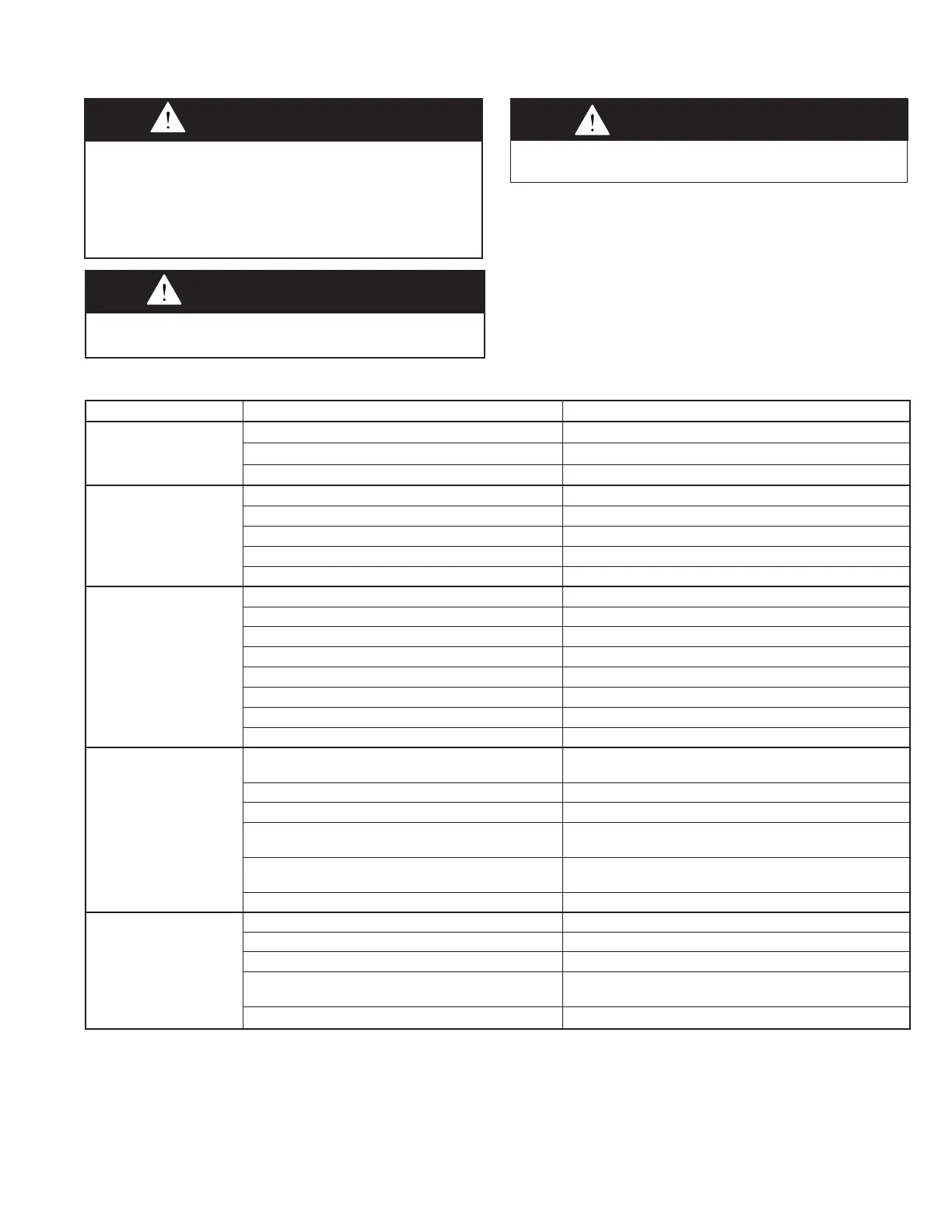
CAUtIoN
Do not reuse any mechanical or electrical components which
has been wet. Such component must be replaced.
Table 51.1 - Troubleshooting
WARNING
When servicing or repairing this equipment, use only factory-
approved service replacement parts which may be obtained
by contacting Modine Manufacturing Company. Refer to
the rating plate on the unit for complete unit model number,
serial number, and company address. Any substitution of
parts or controls not approved by the factory will be at the
owner’s risk.
Trouble Possible Cause Possible Remedy
A. Power Failure 1. Disconnect not turned on. 1. Turn on disconnect switch
2. Blown fuses or open circuit breaker 2. Check and replace or reset
3. Main power supply for unit turned off 3. Turn on power at main panel
B. Motor Failure 1. See Problem “A” 1. See Problem “A”
2. Failed motor 2. Check and replace
3. Loose wiring to motor 3. Check and tighten
4. Motor overloaded 4. Reset motor starter and check motor load
5. Improper supply voltage 5. Check and correct
C. Blower Not Turning or
Turns Slow
1. See Problems “A” and “B” 1. See Problems “A” and “B”
2. Broken drive belt 2. Check and replace
3. Motor undersized for application 3. Contact Factory
4. Motor voltage too low 4. Check and correct
5. Supply power line sizing too small 5. Check and correct
6. Controls are in Unoccupied mode 6. Wait for Occupied mode or override
7. Controller alarm 7. Check and correct
8. Blower door open 8. Close the door
D.InsufcientAirow 1. Motor running backwards 1. Check and correct motor wiring to phase rotation of
supply power, reverse any two lines to motor
2. Fan speed setting too low 2. Check and correct
3.Dirtyorcloggedltersorcoils 3. Check and clean or replace
4. Duct system has more static pressure drop than
expected
4. Check and correct
5. Lack of straight duct at unit discharge outlet 5. Install straight duct at discharge outlet, as outlined in the
Duct Installation section of this Manual or contact Factory
6. Dampers and/or discharge registers are closed 6. Check and correct
E.ExcessiveAirow 1. Fan speed setting too high 1. Check and correct
2. Filters not in place 2.Checkandreinstalllters
3. Ductwork grilles or registers not installed 3. Check and install
4. Duct system has less static pressure drop than
expected
4. Check and correct
5. Access door is open 5. Close all unit side access doors
To check most of the Possible Remedies in the troubleshooting
guide on the following pages, refer to the applicable sections of
this manual. The troubleshooting tables are as follows:
• Tables 51.1 and 52.1 - Main Unit
• Tables 54.1 and 55.1 - Gas Heat Option with furnace
model Digit 11=6 or 8.
IMPoRtANt
Start-up and adjustment procedures must be performed by a
qualified service agency.


 To Next Page