www.miinet.comMoore Industries-International, Inc.
- 37 -
User’s Manual
225-748-00P
August 2024
Programmable RTD, T/C, Ohms, mV and Potentiometer Safety Trip Alarm
STA
TPRG
SECTION 4
Scaling the Analog Output
(-AO Option)
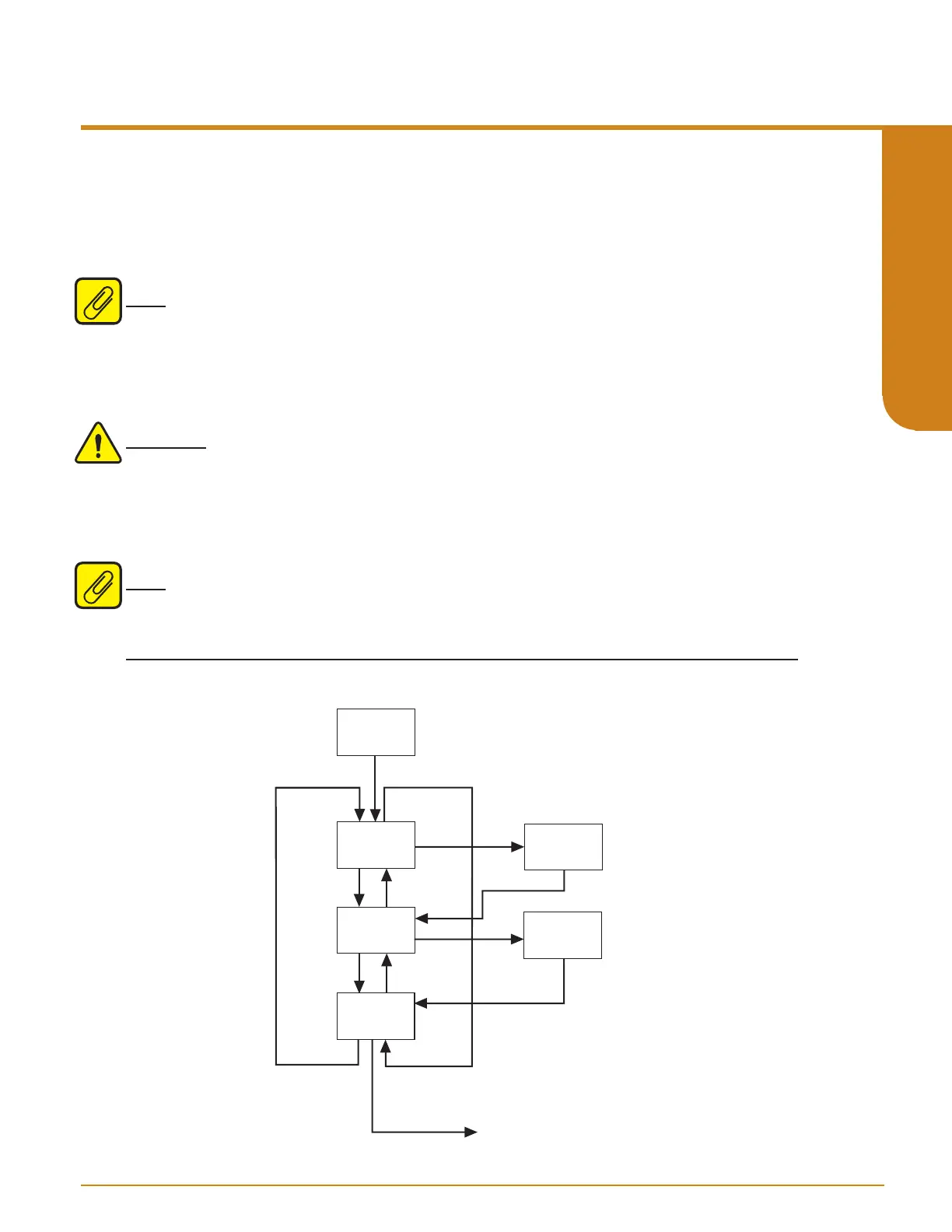
Figure 4.8 gives an overview of the Analog Output Scaling menu.
Follow these instructions to scale the analog output after you have performed the configuration.
Note: When using the front panel pushbuttons to enter your scaling values, you may enter only
values to two decimal places (hundredths).
1. At the “SCALE AOUT” display, press SELECT.
2. Press SELECT at the “AOUT ZERO” parameter and enter the value you want to output
when your input is at zero. Select from 0.00 to 21.60mA or -0.20 to 10.50V (default is 4mA
or 0V) then press SELECT.
WARNING: The Analog Output Zero must be set to 4mA for a safety function.
3. Press SELECT at the “AOUT FULL” screen. Enter the value you want to output when
your input is at full scale. Select from 0.00 to 21.60mA or 0.00 to 10.50V (default is 20mA
or 10V) then press SELECT.
4. “EXIT SCALE” appears. If all scaling parameters have been set, press SELECT.
Note: Analog Output can be reversed, in which case the Zero value will be greater than the Full
value. In either case there needs to be a minimum Span of 4mA or 1V.
Figure 4.8. SCALE AOUT Menu
SCALE
AOUT
D
D
D
U
U
AOUT
ZERO
AOUT
FULL
EXIT
SCALE
SEL
U
SEL
SEL
TRIM AOUT menu
Value Change:
XX.XX
MA/VOLT
SEL
SEL
SEL
Value Change:
XX.XX
MA/VOLT



 To Next Page