www.miinet.com Moore Industries-International, Inc.
- 54 -
User’s Manual
225-748-00P
August 2024
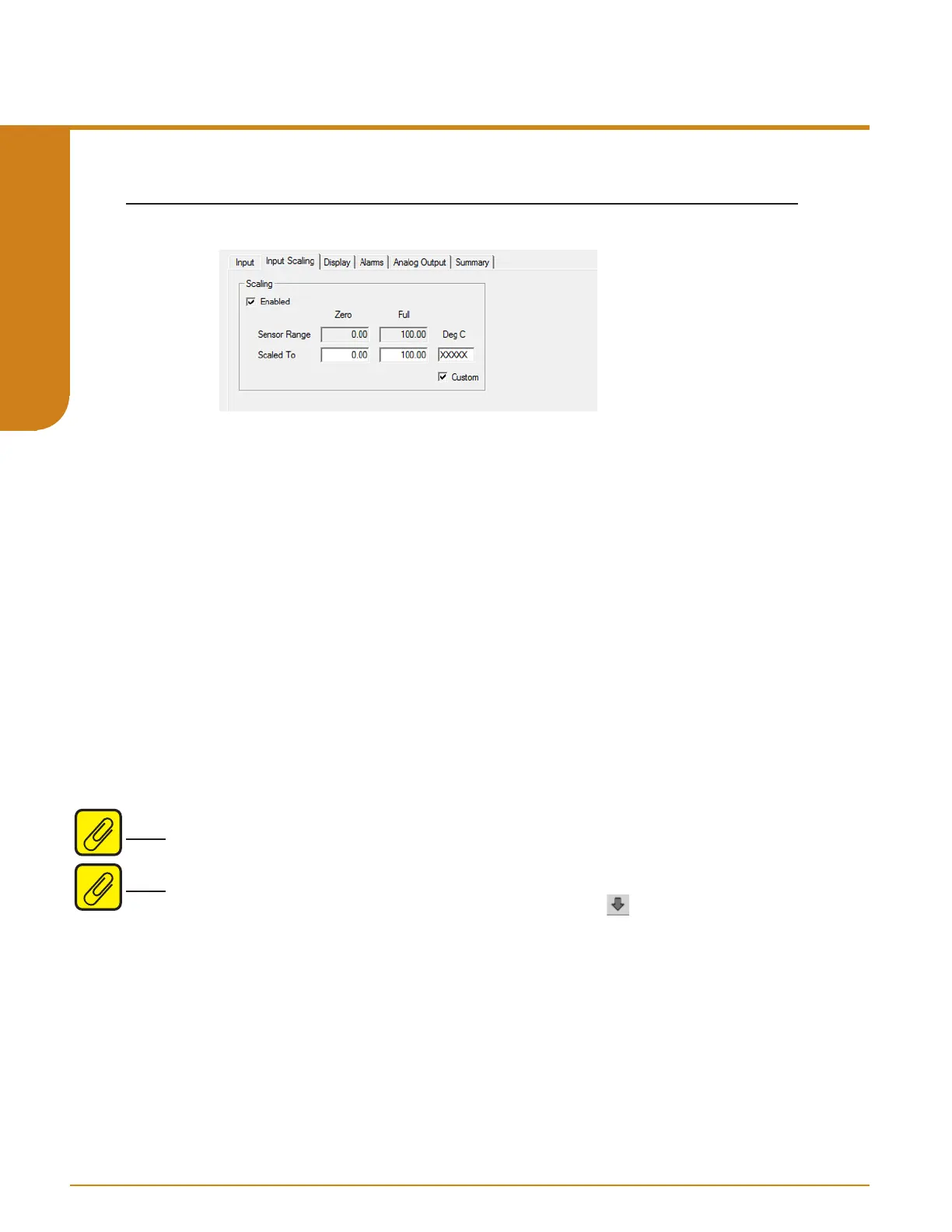
Input Scaling– This allows you to customize your display for your application. By example:
if your process is sending a 0-4000ohms signal to the STA and you wish to view the input as
0-100% then this can be accomplished with the Scaling feature.
To scale your instrument, perform the following steps:
1. Click the “Enabled” check box.
2. The “Sensor Range” boxes will display the range selected in the “Input Type” section of
the Input screen.
3. In the “Scaled To” text boxes, enter the values you wish displayed when your input is at its
Lower Range and Upper Range.
Once downloaded, your unit will display the scaled values on its LCD.
Custom EGU– If selected you can choose to assign a specific label, or EGU (Engineering Unit).
1. Check the “Custom” box.
2. Enter the value you wish viewed into the “Custom EGU” text box.
Alpha numerical characters allowed:
A-Z, 0-9, *, + , - , / , \ , >, <,
Note: Custom EGU will prompt a warning if any character entered in this field is invalid and will
then set invalid that character(s) to “X”.
Note: Once you have configured all parameters, download to the unit by selecting “Download” in
the Transfer dropdown menu located in the Status Bar. Or, click the button in the Menu Bar.
Input Scaling
Figure 5.2. Input Scaling Tab
Programmable RTD, T/C, Ohms, mV and Potentiometer Safety Trip Alarm
STA
TPRG
SECTION 5



 To Next Page