www.miinet.com Moore Industries-International, Inc.
- 60 -
User’s Manual
225-748-00P
August 2024
Summary
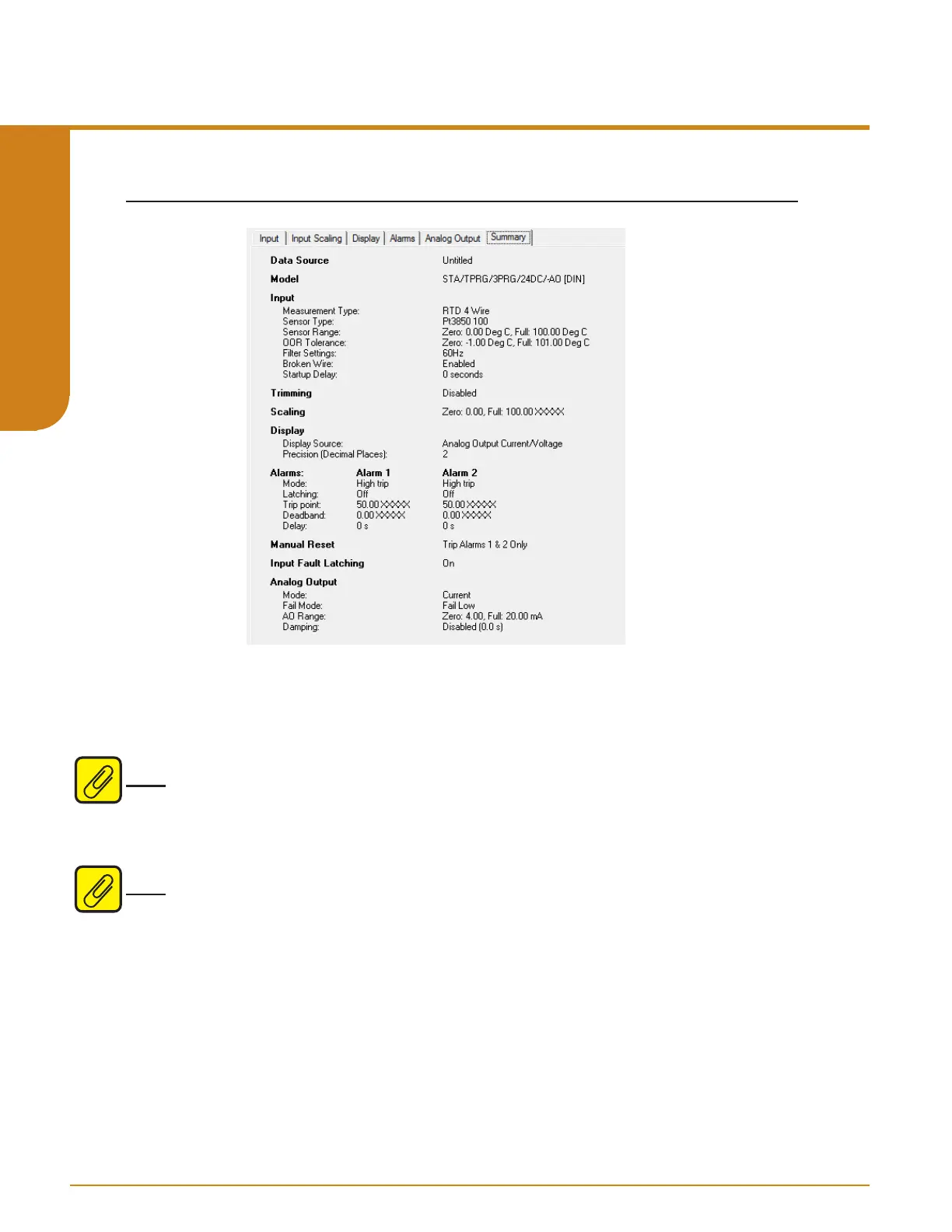
Figure 5.6. Summary Tab
The Summary tab displays the following Data Source, Model, Input, Trimming, Scaling, Display,
Alarms, Manual Reset, Input Fault Latching, and Analog Output.
Data Source: Data Source will specify origin of configuration being displayed, this can be
directly from device or from a file.
Note: When user opens a Saved file and alters the displayed configuration a [modified] tag will
be displayed before both the File Title and in the Data Source section of the Summary Tab. Once
you Save the File after modifications the [modified] tag will disappear. This does not update the
unit this only updates the file being saved. To apply modifications to unit the user must download
the file to unit.
Note: When user uploads a configuration from unit and then alters the displayed configuration
a [modified] tag will be displayed before the Device Tag in Summary Tab. Once you download
configuration to unit the [modified] tag will disappear.
Programmable RTD, T/C, Ohms, mV and Potentiometer Safety Trip Alarm
STA
TPRG
SECTION 5



 To Next Page