10
III. Assembling the Microscope
1. Installing the bulb
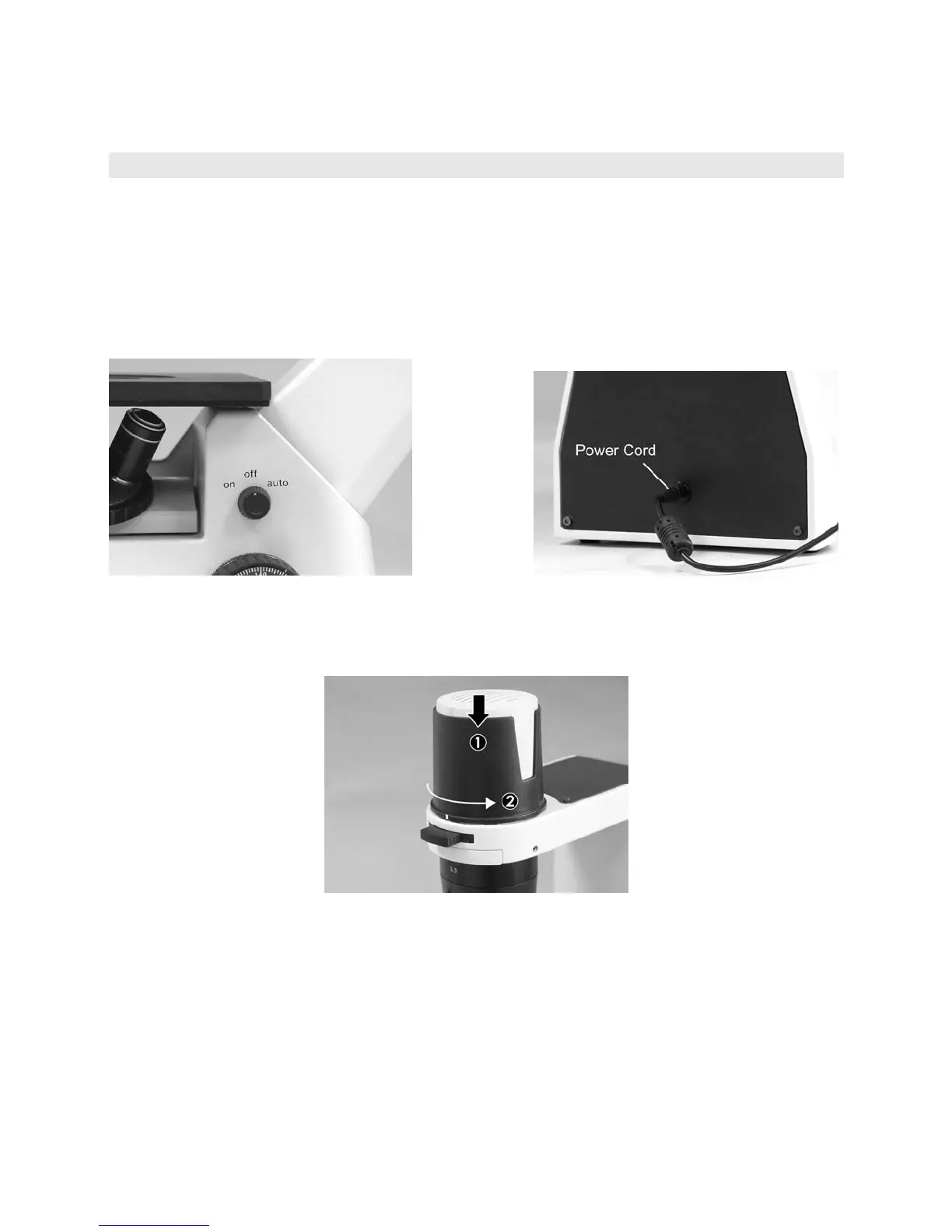
y In order to prevent electric shock always turn the power switch off (Fig.1) and unplug the power
cord (Fig.2) before replacing the bulb.
y To remove lamphouse cover, press down lightly (1) and rotate counter clockwise (2). (Fig.3)
Power Switch (Fig.1) Power Cord (Fig.2)
Lamp house Cover (Fig.3)


 To Next Page