AP-7131 Access Point Product Reference Guide
4-34
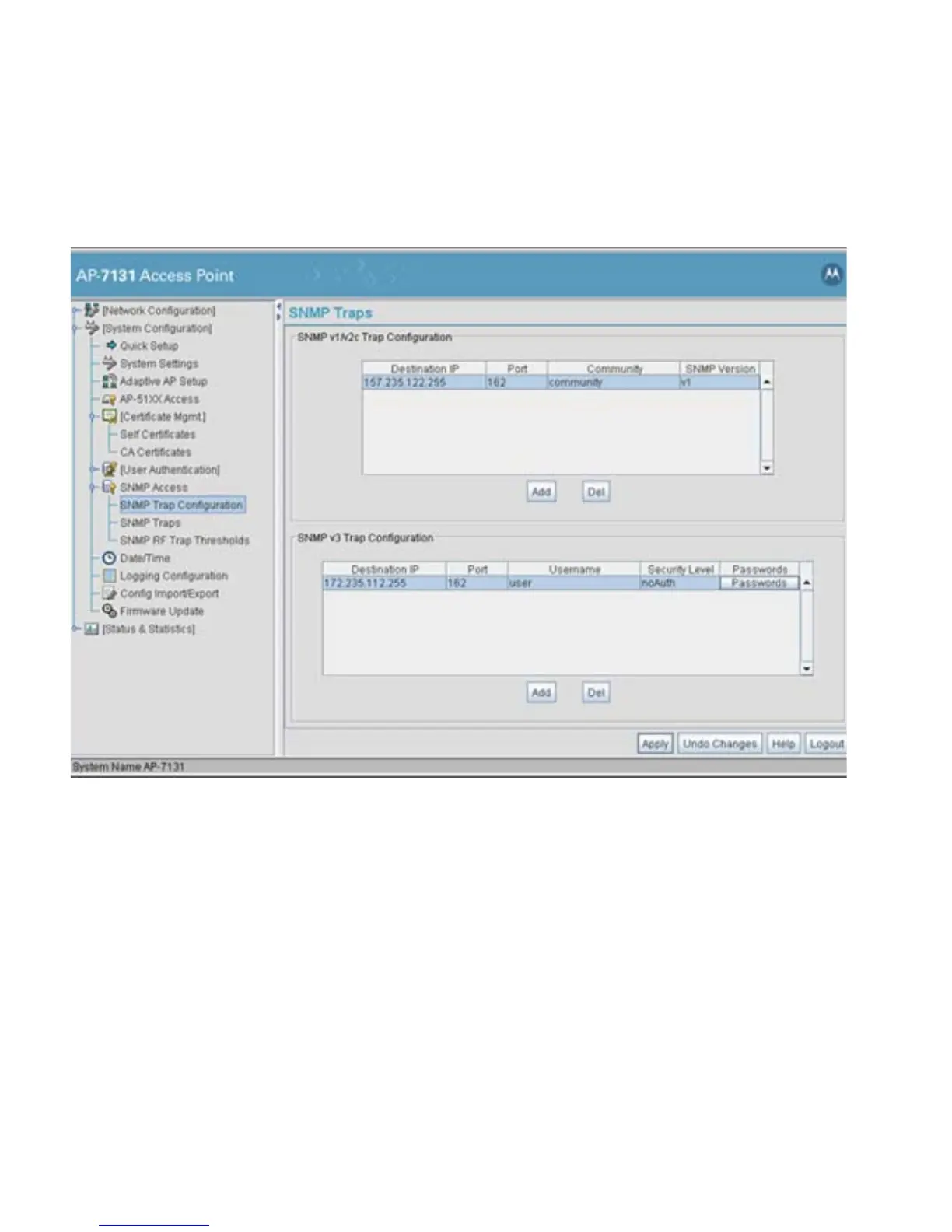
1. Select System Configuration - > SNMP Access - > SNMP Trap Configuration from the
access point menu tree.
2. Configure the SNMP v1/v2c Trap Configuration field (if SNMP v1/v2c Traps are used) to
modify the following:
Add Click Add to create a new SNMP v1/v2c Trap Configuration entry.
Delete Click Delete to remove a selected SNMP v1/v2c Trap
Configuration entry.
Destination IP Specify a numerical (non DNS name) destination IP address for
receiving the traps sent by the access point SNMP agent.
Port Specify a destination User Datagram Protocol (UDP) port for
receiving traps. The default is 162.
Community Enter a community name specific to the SNMP-capable client that
receives the traps.



 To Next Page
 Loading...












