Network Management
5-67
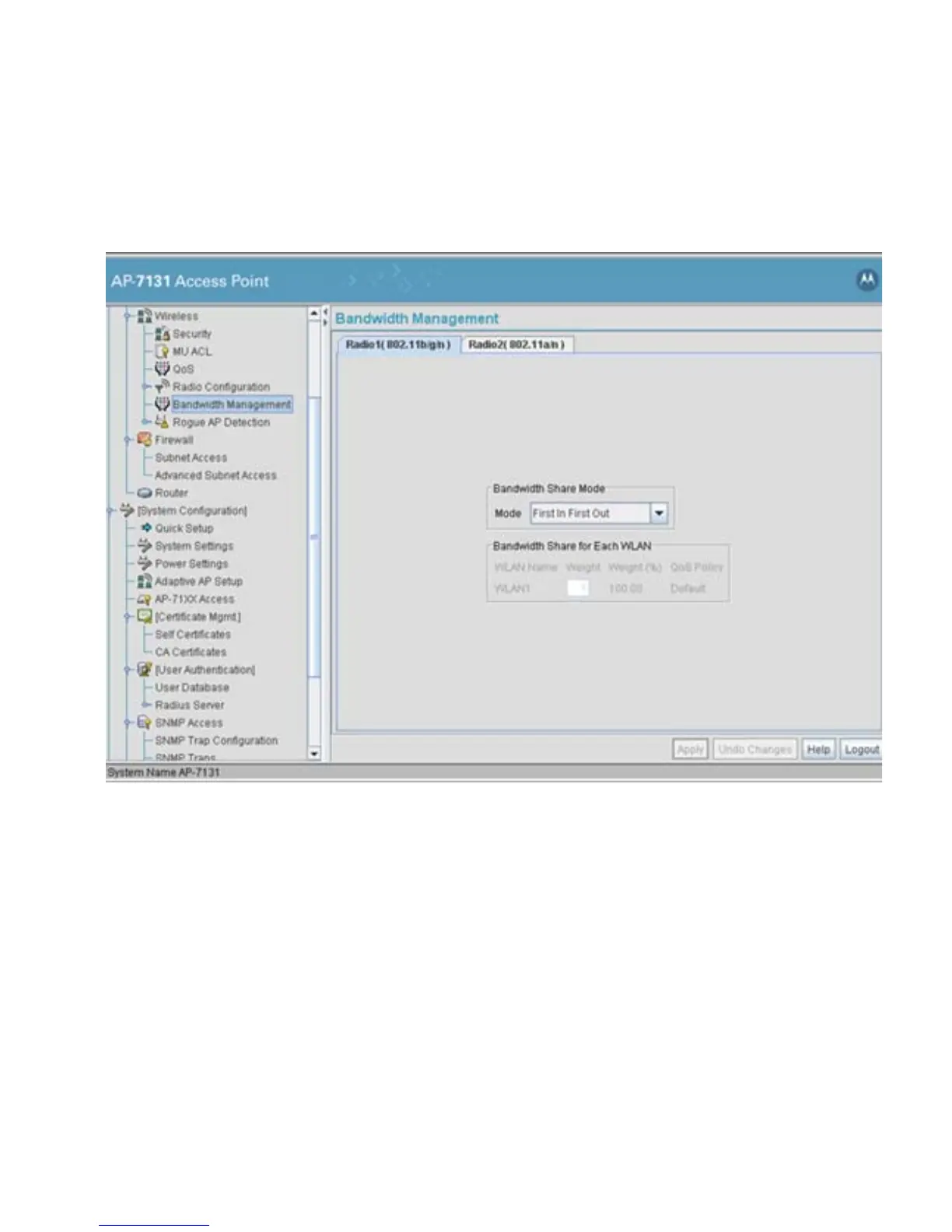
1. Select Network Configuration -> Wireless -> Bandwidth Management from the
access point menu tree.
2. Select either the Radio 1(802.11b/g/n) or Radio 2(802.11a/n) tab to display the WLANs
enabled for the selected radio and their existing configurations.
The WLANs displaying for the selected radio were assigned when the WLAN was created
or modified. A single WLAN can be assigned to either radio, and if necessary have different
bandwidth management configurations. To modify a WLAN-to-radio assignment, see
Creating/Editing Individual WLANs on page 5-30.
3. Use the Bandwidth Share Mode drop-down menu to define the order enabled WLANs
receive access point services. Select one of the following three options:
First In First Out WLANs receive services from the access point on a first-come,
first-served basis. This is the default setting.
Round-Robin Each WLAN receives
access point services in turn as long the
access point has data traffic to forward.



 To Next Page
 Loading...












