Repair Section
63
6.8 TEST Mode
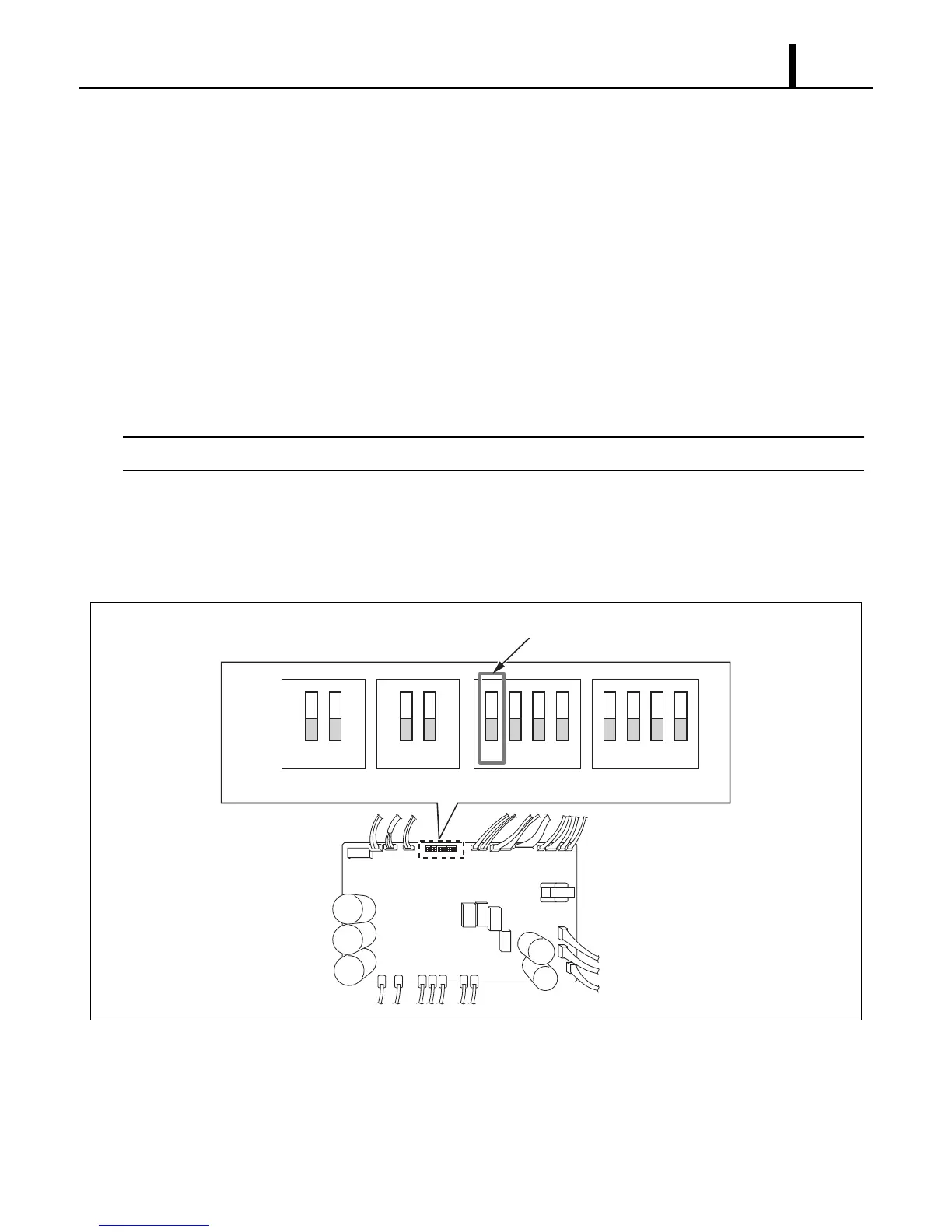
• Test operation can be performed using the test mode.
(1) Operation method
• Set the CM 25 to standby mode, turn DIP switch 3-1 ON, then turn on the unit. The unit will
automatically operate at the following conditions.
- Compressor speed: 90 rps
- Cool mode
- Fan mode: RUN
- Fan speed: HI
The WMC (or MWT) will be rendered inoperative.
(2) Quit
• Turn DIP switch 3-1 OFF.
CM 25 operation will stop, and the system will shift to standby status.
I003179
ON
OFF
12
12 12341234
DSW1 DSW2 DSW3 DSW4
TEST Mode









 To Next Page