Repair Section
88
9. REASSEMBLY
9.1 Reassembly of Unit
• Reassemble the unit in the reverse order of removal. Described below are the parts that require special
care in reassembling the unit. Perform all wiring or rewiring as referenced in the wiring diagram.
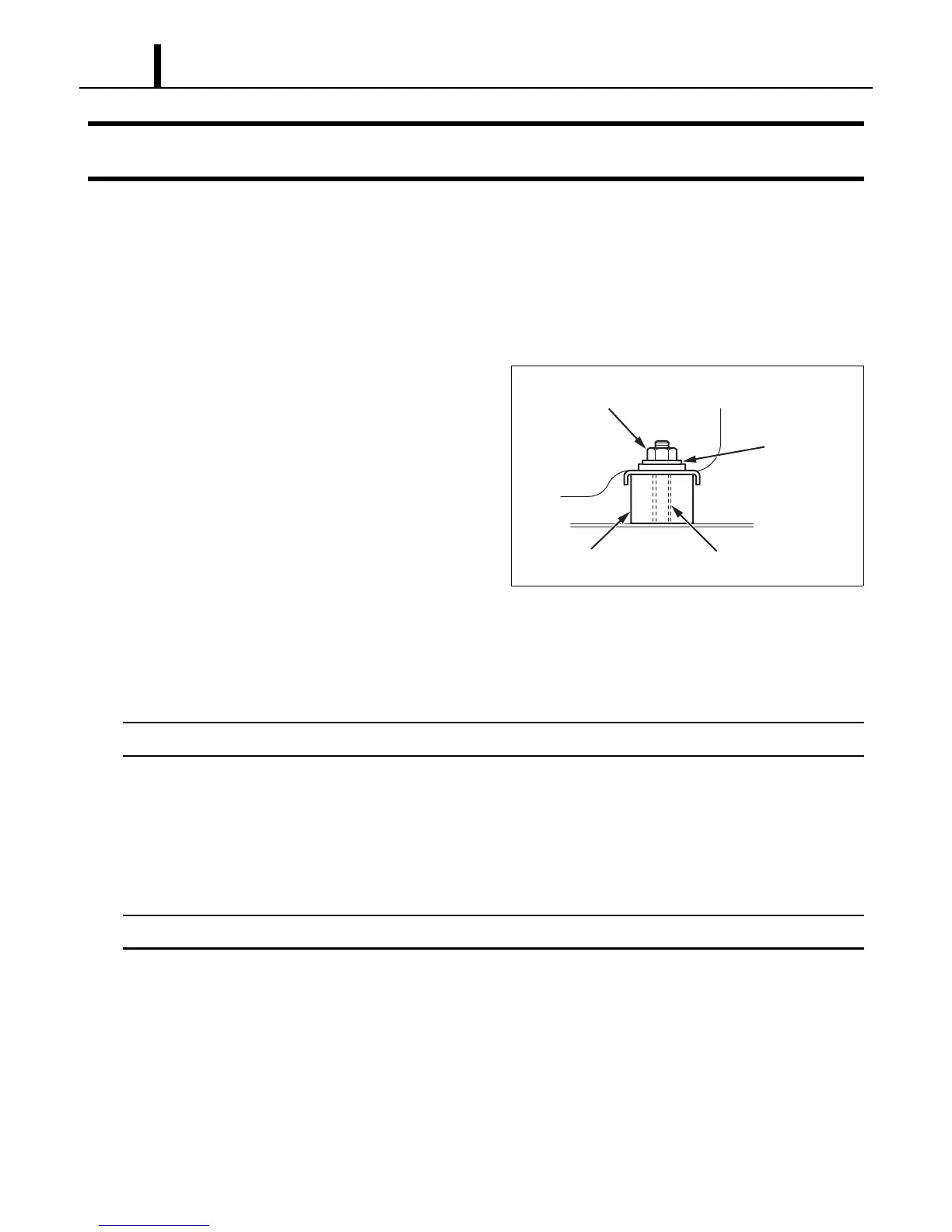
9.2 Compressor Mounting
• Mount the compressor on the frame, using
cushions, steel collars, plate washers, and
nuts.
9.3 Evaporator Fan Assembly
• Install the evaporator fan. Allow a clearance of 0.12 inch (3.0 mm) or more on each side of the
evaporator fan. (See page 72.)
Initialize the fan motor after replacement. (See page 61.)
9.4 Condenser Fan Assembly
• Install the condenser fan. Allow a clearance of 0.12 inch (3.0 mm) or more on each side of the
condenser fan. (See page 74.)
Initialize the fan motor after replacement. (See page 61.)
9.5 Wiring Notice
• Secure the wires using clamps so that they do not come into contact with the edges of the
structure. Secure the wires using clamps in the same position they were before removal.
9.6 Perform an Inspection
• Perform an inspection of cooling performance and check for abnormal noise or vibration.
ILL00178-00
Nut
Steel Collar
Cushion
Plate Washer









 To Next Page