Repair Section
59
6.6 Operational Status Display Control
(Only When Connected With WMC)
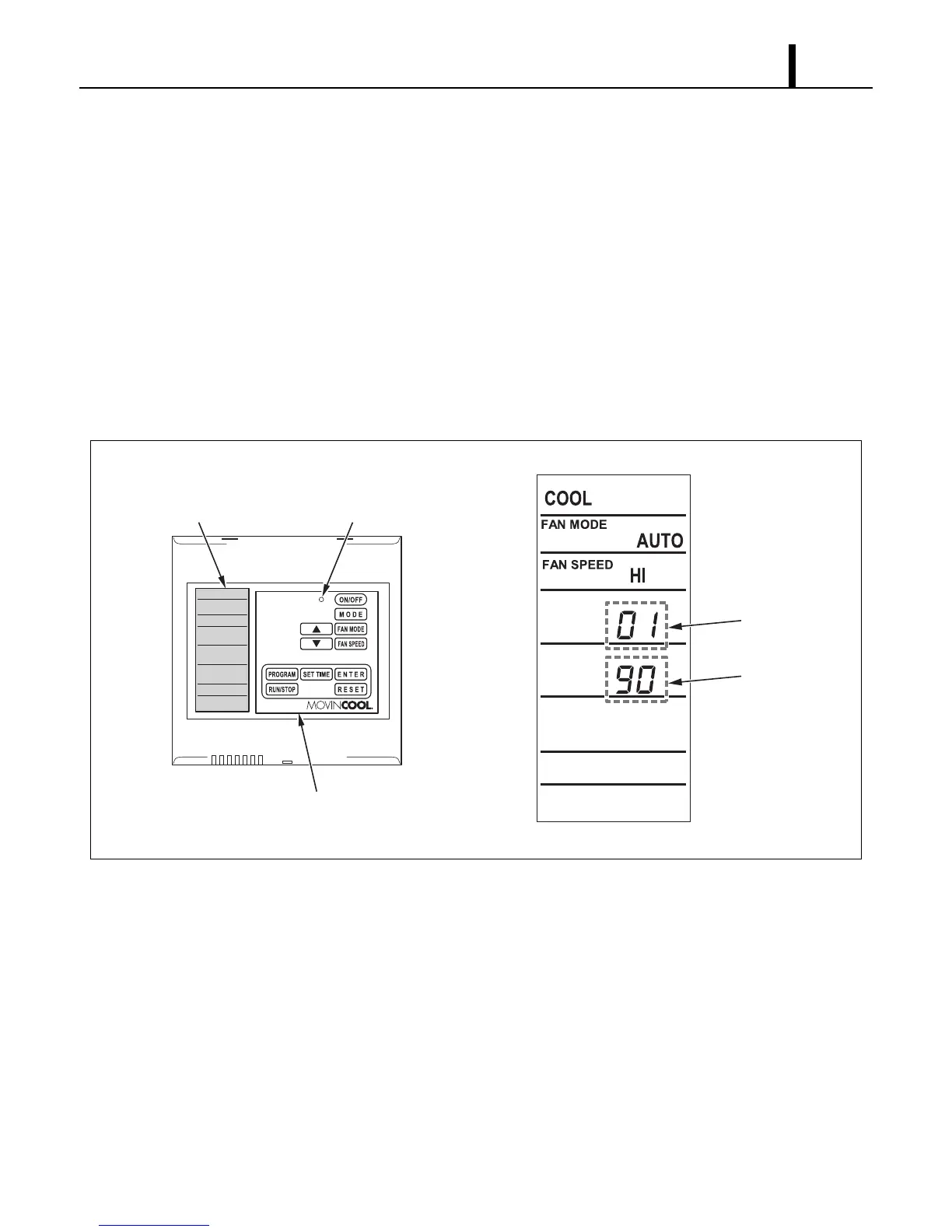
• The operational status of each functional part can be displayed while the CM 25 is running.
(1) Display method
• Press and hold the “”, “”, and “FAN MODE” buttons simultaneously for 3 seconds.
• The display items can be switched using the “” or “” buttons.
(2) Exiting operational status display
• To exit the operational status display, press the “RESET” button, or do not operate the system
for 1 hour.
I003177
Displayed Code
Status Display
LCD Display LED (Color : Green)
Control Panel









 To Next Page