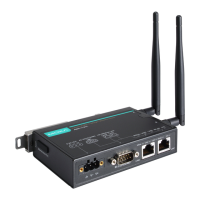
AirWorks AWK-1131A Web Console Configuration
Setting Description Factory Default
5 GHz
A Only supports the IEEE 802.11a standard
A/N Mixed Supports IEEE 802.11a/n standards, but 802.11n might
operate at a slower speed when 802.11a clients are on the
network
N Only (5 GHz) Only supports the 5 GHz IEEE 802.11n standard
Channel (for AP mode only)
Setting Description Factory Default
Available
with RF type
This option is only adjustable when the AWK-1131A plays the
role of wireless AP. If the device acts as a wireless client, it
follows the channel of the associated access point
6 (in B/G/N Mixed
mode)
Channel width (for any 11N RF type only)
Setting Description Factory Default
20 MHz Select your channel width, If you are not sure which option to
use, select 20/ 40 MHz (Auto)
20 MHz
20/40 MHz
Channel bonding
Channel bonding shows the channel with which the AP will bond if Channel width is set to 20/40 MHz.
SSID
Setting Description Factory Default
Max. of 31 characters
The SSID of a client and the SSID of the AP must be identical for
the client and AP to be able to communicate with each other.
MOXA
SSID broadcast (for AP mode only)
Setting Description Factory Default
Enable/ Disable SSID can be broadcast or not Enable
WLAN Security Settings
The AWK-1131A provides four standardized wireless security modes: Open, WEP (Wired Equivalent Privacy),
WPA (Wi-Fi Protected Access), and WPA2. Several security modes are available in the AWK-1131A by
selecting Security mode and WPA type:
• Open: No authentication, no data encryption.
• WEP: Static WEP (Wired Equivalent Privacy) keys must be configured manually.
• WPA/WPA2-Personal: Also known as WPA/WPA2-PSK. You will need to specify the Pre-Shared Key in the
Passphrase field, which will be used by the TKIP or AES engine as a master key to generate keys that
actually encrypt outgoing packets and decrypt incoming packets.
• WPA/WPA2-Enterprise: Also called WPA/WPA2-EAP (Extensible Authentication Protocol). In addition to
device-based authentication, WPA/WPA2-Enterprise enables user-based authentication via IEEE 802.1X.
The AWK-1131A can support three EAP methods: EAP-TLS, EAP-TTLS, and EAP-PEAP.


 To Next Page
 Loading...