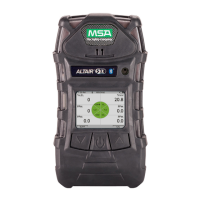
ALTAIR 5X PID
31
Operation
US
The device displays a blinking "FRESH AIR SETUP?", prompting the user to perform a Fresh Air
Setup:
(1) Press the S button to bypass the Fresh Air Setup.
Z The Fresh Air Setup is skipped and the device goes to the Measuring page (Main page).
(2) Press the T button to perform the Fresh Air Setup.
Z The device starts the FAS sequence and the FAS screen displays.
Z A progress bar shows the user how much of the FAS has been completed.
Z At the end of the FAS, the device displays either "FRESH AIR SETUP PASS" or
"FRESH AIR SETUP FAIL".
If the FAS fails, perform a zero calibration (→ chapter 4.10).
4.3 Special Consideration for Oxygen Sensor
Under the following situations, the oxygen sensor display reading may be suppressed for up to
30 minutes at device turn-ON as a sensor 'cook down' is performed.
This could occur if:
- the oxygen sensor was just installed
- the battery pack was allowed to be deep-discharged
- the battery pack was removed from the device.
During this time, the oxygen sensor numeric position on the display indicates "PLEASE WAIT". While
this message displays, the device cannot respond to a:
- Fresh Air Setup
- Calibration
- Bump Test procedure.
When the numeric oxygen reading appears, the FAS, calibration, or Bump Test procedures may be
performed.


 To Next Page