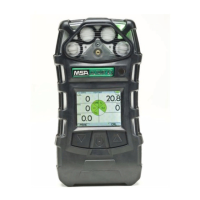
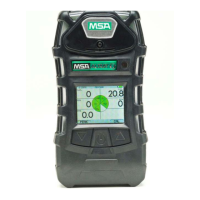
ALTAIR 5X PID
41
Operation
US
4.6 Bluetooth Operation
Bluetooth must be enabled for any Bluetooth functions to operate. See chapter 4.5. Compatible Blue-
tooth host with appropriate software is required for proper operation.
Bluetooth security
The Bluetooth connection is encrypted and secured with a unique six digit pin that must be double
confirmed on both device and Bluetooth host at the time of pairing.
Discovery Mode
This device mode is used to enable a Bluetooth host to pair with the device for the first time or if a
different Bluetooth host was connected with the device previously.
To manually enter discovery mode:
(1) Page down through the menu pages in Measurement Mode using the T button until the
Discovery Mode page is displayed.
(2) Press the q button to enter discovery mode.
Z The blue led will blink rapidly indicating that the device is in Discovery Mode.
Connecting the device to a Bluetooth host for the first time
(1) Ensure that the device is on and in Discovery Mode
(2) On the Bluetooth host, locate the Bluetooth device list. Select "A5X-xxxxxxxx" from the list.
Z Both the device and Bluetooth host will display a unique six digit security code to ensure
that the correct devices are being paired.
(3) After confirming that the six digit codes match, confirm the pairing request on the device by
pressing the T button.
(4) Confirm on the Bluetooth host as well.
Connecting the device to a Bluetooth host
If this was the last device connected to the Bluetooth host, the Bluetooth host can connect to the device
whether or not the device is in discovery mode as long as Bluetooth is enabled. The six digit code
confirmation will not be displayed.
Bump pairing the device to a Bluetooth host
This device has an integrated RFID chip to facilitate a faster Bluetooth pairing process with a Bluetooth
host that supports a RFID or NFC reader with appropriate software. Simply align the RFID or NFC
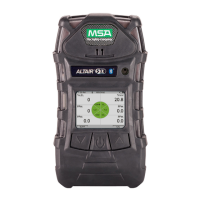
reader of the Bluetooth host directly over the MSA logo on the front of the device.The device and Blue-
tooth host should become paired and connected.
Disconnecting the device from a Bluetooth host
The device does not have a disconnect feature as this would be initiated by the Bluetooth host. Use
the Bluetooth host functions to purposefully disconnect the device from the Bluetooth host.
Device configuration over Bluetooth connection
The device has the ability to receive updates to device settings over the Bluetooth connection. The
user must successfully pair the device and Bluetooth host confirming that the six digit security code
matches both on the device and the Bluetooth host. After a configuration change has been initiated,
the user must confirm the request on the device by pressing the S button.
Note that the device will automatically enter discovery mode for five minutes at device
turn on if Bluetooth has been enabled. Discovery mode will also be entered for
5minutes following a disconnection.
The device will only recall the last Bluetooth host it was paired with. If connecting to
another Bluetooth host, the device must be placed into discovery mode to be detected.


 To Next Page