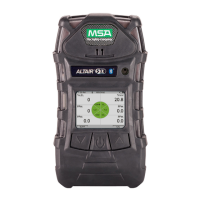
ALTAIR 5X PID
40
Operation
US
Enabling Bluetooth
The device is configured with a Bluetooth capable communications feature.
(1) Press the q button to enable or disable the Bluetooth communications device (ON/OFF).
(2) Press the T button to to return to the Main Menu or the S button to return to previous page.
Back To Main Menu
There are three options at this point:
VOC Gas Selec-
tion
This menu displays all of the gases available for detection by this PID sensor
type. The gases are listed by an 8 character abbreviation. The full gas names
are listed in chapter 10 of this manual.
The first 10 gases listed are the Favorites gases followed by options for the All
Gas List and the Custom List. Gas names starting with the letters A-Z are listed
alphabetically. Each page contains 14 gas names.
Select the gas of interest by using the T or S button to highlight then
select OK.
Z Holding down the T or S button for more than 2 seconds will scroll a
full page at a time.
Selecting OK will display a confirmation page that contains the following informa-
tion:
- 8 character short name
- Response Factor (RF) for the selected gas
- Maximum Value of that gas (Full scale sensor value x RF). The Maximum
Value is calculated by multiplying the sensor range by the RF. For example,
the Max Value for Hexane is 2000 *4.5 = 9000ppm. The maximum value
cannot exceed 9999ppm due to display resolution limitations.
- High Alarm - this reflects the current High Alarm value. Change if necessary
for the chosen Response Factor
- Low Alarm - this reflects the current High Alarm value. Change if necessary
for the chosen Response Factor
Custom Gas
Setup
The Custom Gas Setup allows a unique 8 character gas name and associated
Response Factor to be entered for up to 10 Custom gases.
(1) Select which Custom Gas (1 - 10) to enter or replace.
Z Confirm with OK.
(2) On the next screen, enter the 8 character gas name using the T or
S buttons to select letters and numbers.
Z Select OK when the appropriate alpha-numeric characters are
reached.
(3) After the 8th character is entered, enter the Response Factor (0.1- 40.0).
Z Once the RF is complete, a final confirmation page will display.
(4) Select OK to apply the Custom Gas as the current gas or select NO and
abort to the menu page.
Configuration
page
WARNING
Failure to properly identify the VOC gas being measured and/or failures to select the correct alarm
values (exposure, STEL, TWA) that match the desired Response Factor and/or the correct lamp will
result in erroneous readings that could cause death or serious personal injury.
the T button Sensor Options menu
the S button Previous Setup page in the Instrument Options menu
the q button Instrument Options menu


 To Next Page