ALTAIR 5X PID
45
Operation
US
Zero Calibration
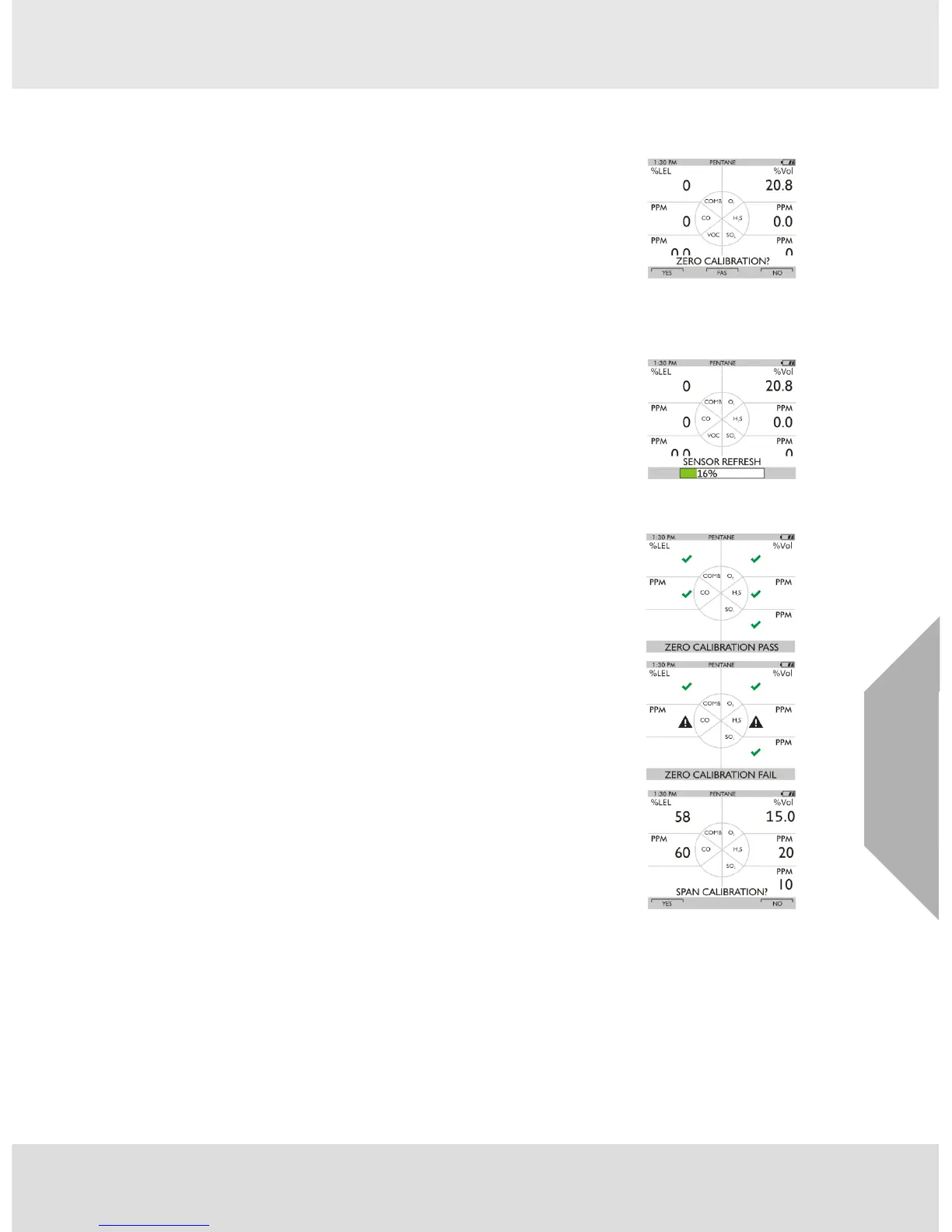
(1) Press the S button for five seconds in Normal Measurement page.
Z ZERO screen displays.
To skip the ZERO procedure and move directly to the span calibration proce-
dure, push the S button. If no button is pushed for 30 seconds, the device
prompts user to perform a SPAN calibration before device returns to the
Normal Measurement page.
To perform ONLY a Fresh Air Setup at this time, press the q button. The
device then performs a Fresh Air Setup as described in chapter 4.2. When
the Fresh Air Setup is complete, the device returns to the normal Measure
screen.
(2) Press the T button to confirm the ZERO screen, i. e. to execute zero
calibration.
Z The message "SENSOR REFRESH" displays, followed by the
message "ZERO CALIBRATION".
Z The "REFRESH" message does not appear if a catalytic combus-
tible sensor is not installed.
Z ZERO calibration starts.
Z A progress bar shows the user how much of the calibration has
been completed.
During the first moments of a ZERO calibration, the combustible sensor
reading may be replaced by a moving display of “PLEASE WAIT”. This is
normal.
Z After the ZERO calibration is completed the device displays either
“ZERO CALIBRATION PASS”
or
“ZERO CALIBRATION FAIL”.
Z Only if the device passes the zero calibration the SPAN screen
displays.



 To Next Page