24 MSI-7300 Operator’s Manual
4.6 Units
Units can be changed in two ways:
• Program a user function key to two unit or five unit
• Change the units with the setup menu using the following procedure
To set the accessible units available by a fun
ction key, set the F key either as 2Unit
(lb/kg) or 5Unit (lb/kg/short tons/metric tons/kilonewton).
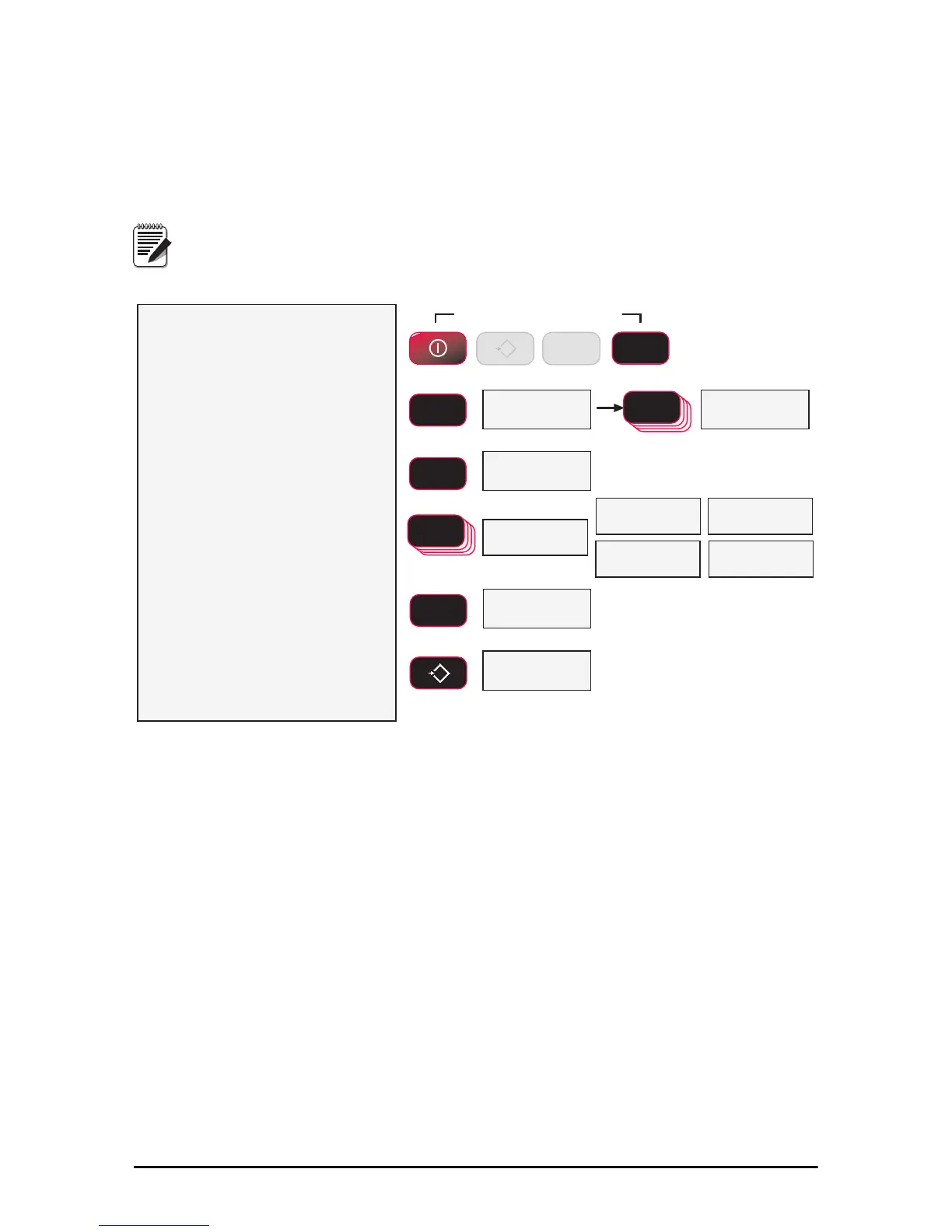
1)With the 7300 on, press the F2
key and the POWER key
simultaneously.
2)The first item of the setup menu
is Func1. Scroll to Unit with
the F2 key.
3)To set up the weight units, press
F1. The display will blink Unit.
4)Change the weight units by
pressing the F2 key until the
desired unit is displayed. The
selected unit is indicated by the
annunciators.
Not all units shown
are available on every capacity.
5)When the desired unit setting is
annunciated, press F1. The next
item in the setup menu appears.
6)Either press ZERO to exit setup
and store all changes, or
continue to another setup menu
item using the F2 key.
)YQF
)YQF
Next Setup Menu Item
8QLW
Blinking
8QLW
Store and return to
weight display
6WRUH
kg
lb
M
kN
Ton
kg
lb
M
kN
Ton
kg
lb
M
kN
Ton
kg
lb
M
kN
Ton
kg
lb
M
kN
Ton
Press Simultaneously
POWER
F2
ENTER/SELECT
F1
ENTER/SELECT
F1
SCROLL
F2
F2
SCROLL
0
EXIT/SAVE
ZERO
F2
kg
lb
M
kN
Ton
kg
lb
M
kN
Ton
kg
lb
M
kN
Ton
kg
lb
M
kN
Ton
kg
lb
M
kN
Ton
0
ZERO
F1
If the Dyna-Link Calibration was originally in tons or metric tons, the
“2Unit” setting will switch from tons to metric tons instead of lb/kg.
Figure 4-6 Units Select Menu



 To Next Page