34 MSI-7300 Operator’s Manual
5.5 Auto Zero Maintenance (AZM)
The Dyna-Link 2 employs an auto zeroing maintenance mechanism to adjust the zero
reading to the center-of-zero (COZ). COZ is defined as the tension reading is within
¼’d’ of zero. AZM continuously adjusts zero to maintain COZ. It is recommended
that AZM is on to maintain the highest accuracy. However, there are circumstances
when it should be turned off. This can happen when minor variations of tension occur
while picking up Dyna-Link attachments and the variations fall within the AZM
capture window. The AZM capture window (usually 1 ‘d’) and capture time (usually
eight seconds) can be adjusted by MSI to meet custom requirements.
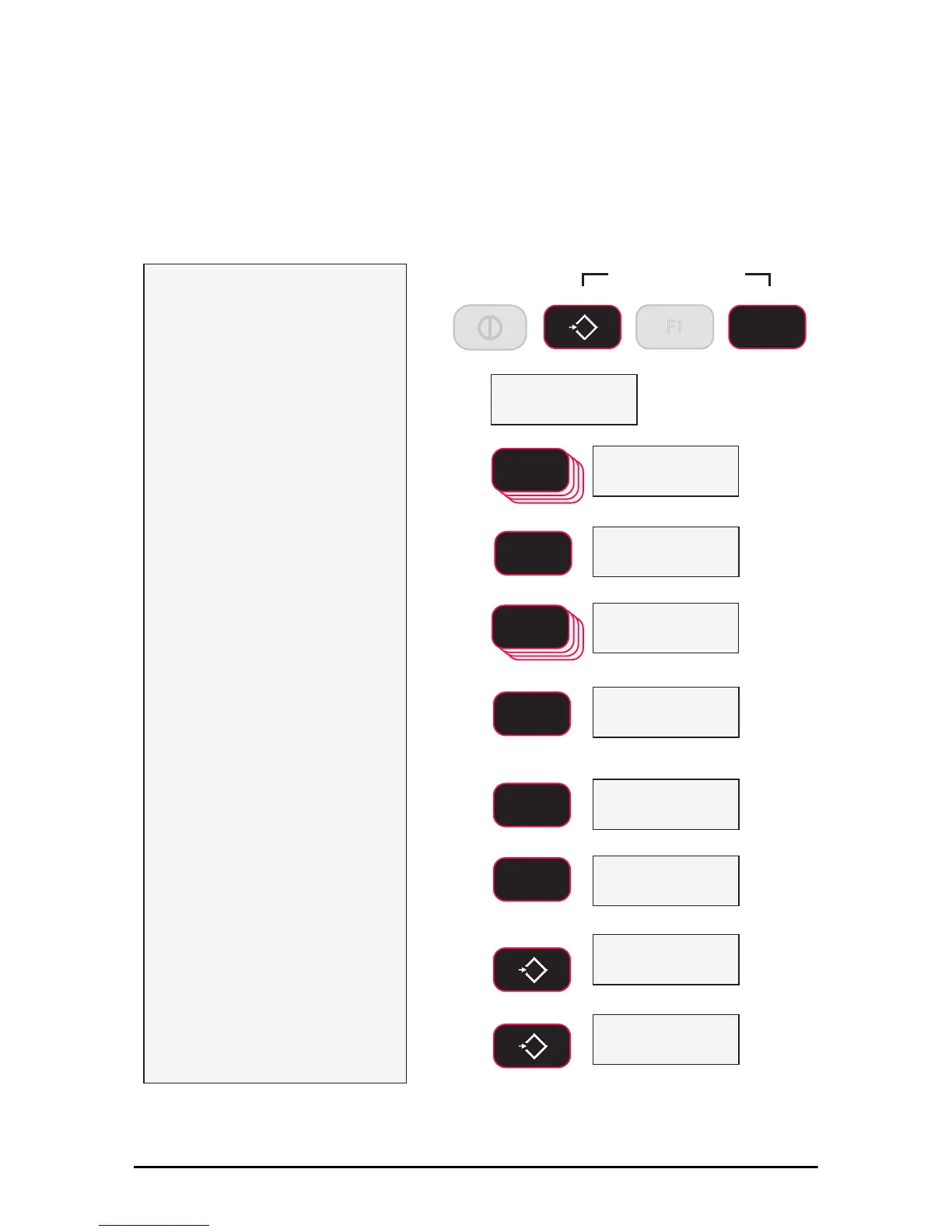
1) With the power on, initiate
calibration by holding down
the
F2 and ZERO
keys until
the display reads CAL.
The CAL setup menu
appears.
2) Press F2 to go the the
SetUP screen.
3) Press F1. The StAnd
menu appears.
4) Press F2 to scroll to the
Auto0 screen.
5) Press F1. The AutoZero
mode shows On or OFF.
In this example, we will turn off AZM
(not recommended for typical
operations)
6) Press F2 to change to AZM
between on and off.
7) When the desired mode is
displayed, press F1.
8) The next cal setup menu
item appears.
9) Press ZERO twice to exit
cal setup and store all
changes, or continue to
another cal setup menu
item using the F2 Key.
&$/
ENTER/SELECT
F1
F2
SCROLL
6HW8S
SCROLL
F2
ENTER/SELECT
F1
0
EXIT/SAVE
ZERO
6WDQG
2II
blinking
Press
Simultaneously
F2
0
ZERO
F1
ENTER/SELECT
F1
2Q
blinking
F2
SCROLL
$XWR
6WDQG
Next Cal Setup Menu Item
0
EXIT/SAVE
ZERO
&$/
Next Cal Menu Item
6WRUH
Changes saved to
Backup Memory
Figure 5-5 Auto Zero Maintenance Setup



 To Next Page