External devices connections
NOTES:
• The printer can operate with an External Sensor, Encoder and Alarm beacon at the same time.
Consult your supplier for further supports on the settings and connections.
• To connect the printer to an External Sensor, Encoder, Alarm, etc…, an additional DB15 (male)
connector is required.
External Sensor
The printer supports NPN and PNP types.
Connect the sensor using the power supply on the printer.
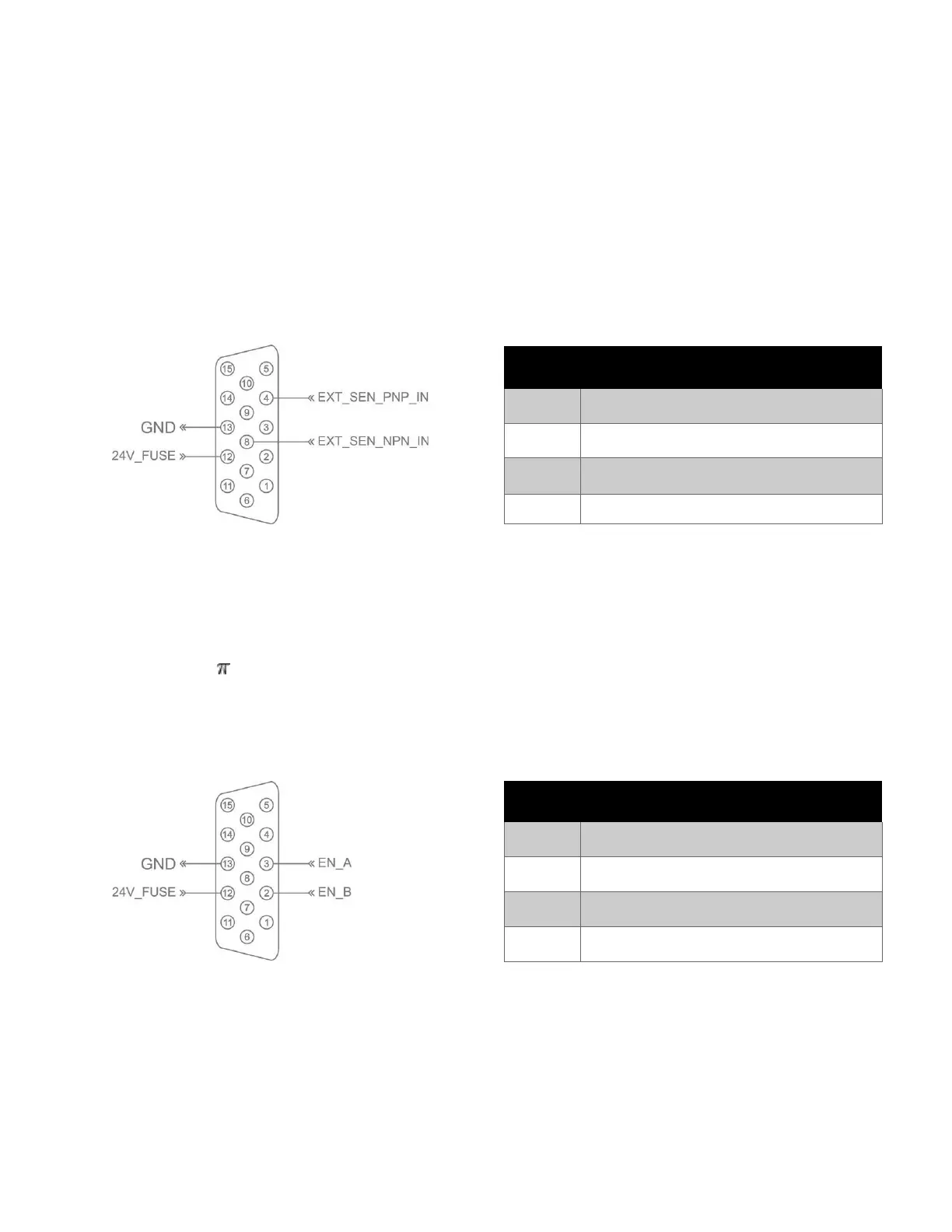
External sensor connection diagram:
External Encoder
An encoder is recommended to ensure the best print quality regardless the inconsistent speed of conveyor.
Based on the resolution (R) of the encoder, you can calculate the diameter (D) of the wheel you should use
based on the following formula:
D = R/( x 600) (inches)
Example: Encoder has R = 3600 (PPR)
D = 1.90985 inches ~ 48.5 mm.
Encoder connection diagram:



 To Next Page