USER MANUAL V1.2 | Updated August 30, 2022
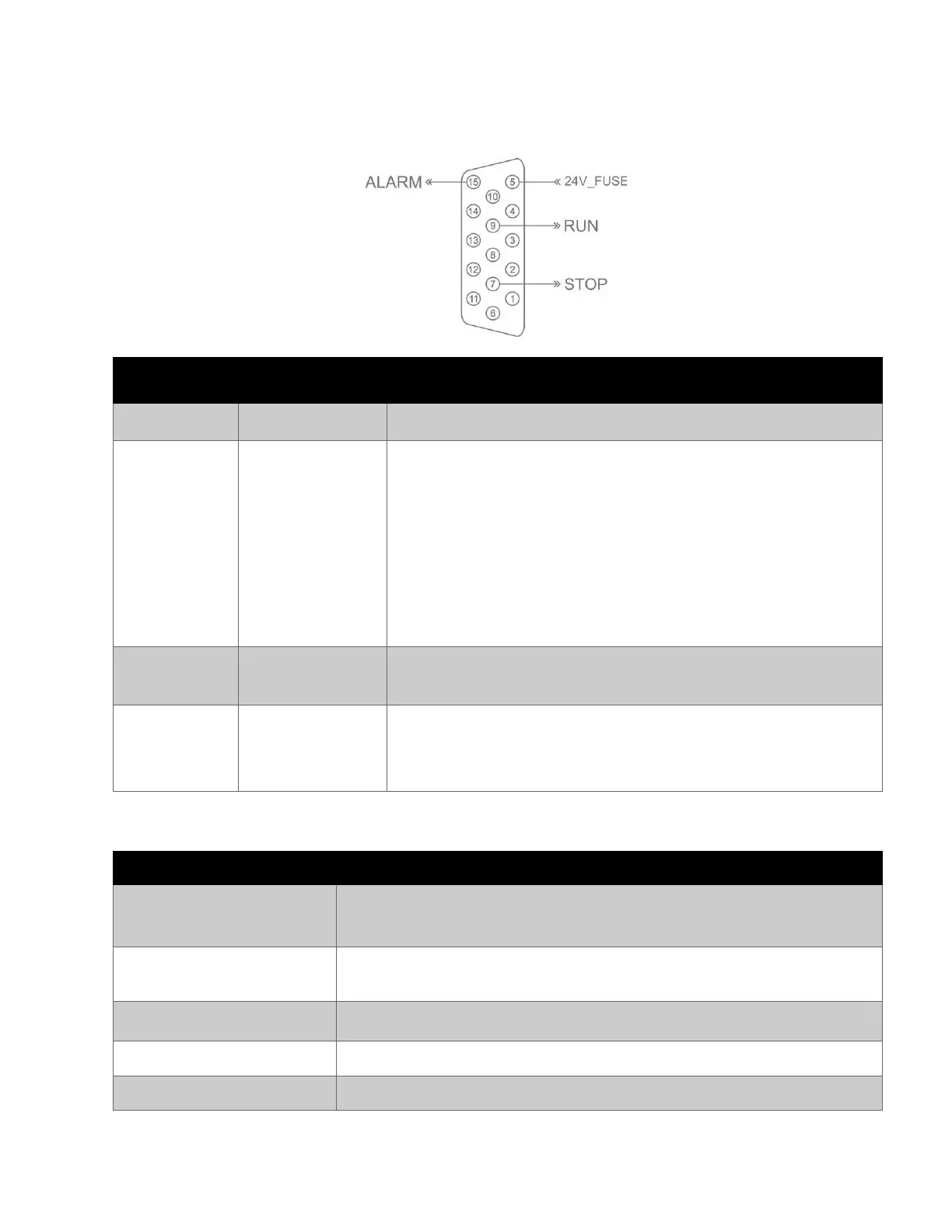
Alarm beacon
The alarm beacon lets users monitor printer operation and status from a distance. Alarm beacon
connection diagram:
The printer has stopped printing because of one of the reasons
below:
• No cartridge.
• Invalid cartridge.
• Out of ink.
• Speed Limit.
• POD / Real time printing speed Overload (Delay data
/ Lost data).
The user has selected the “Print” button.
The printer is printing with no problems.
The printer gets some issue and needs warning to the
operator but it is still able to print:
• Ink low.
Stop print
(Normal event)
The user has selected “Stop” button on software. Printing will be Stopped.
No light is ON.
The ink cartridge that has been installed is not a valid/genuine
ink cartridge from your supplier.
No cartridge is installed in a printhead.
The ink level in a cartridge is below 5 ml.
The ink level in a cartridge is below 0.4 ml.



 To Next Page