Add a Counter object
To add a counter object, select the Object button: Select
Counter.
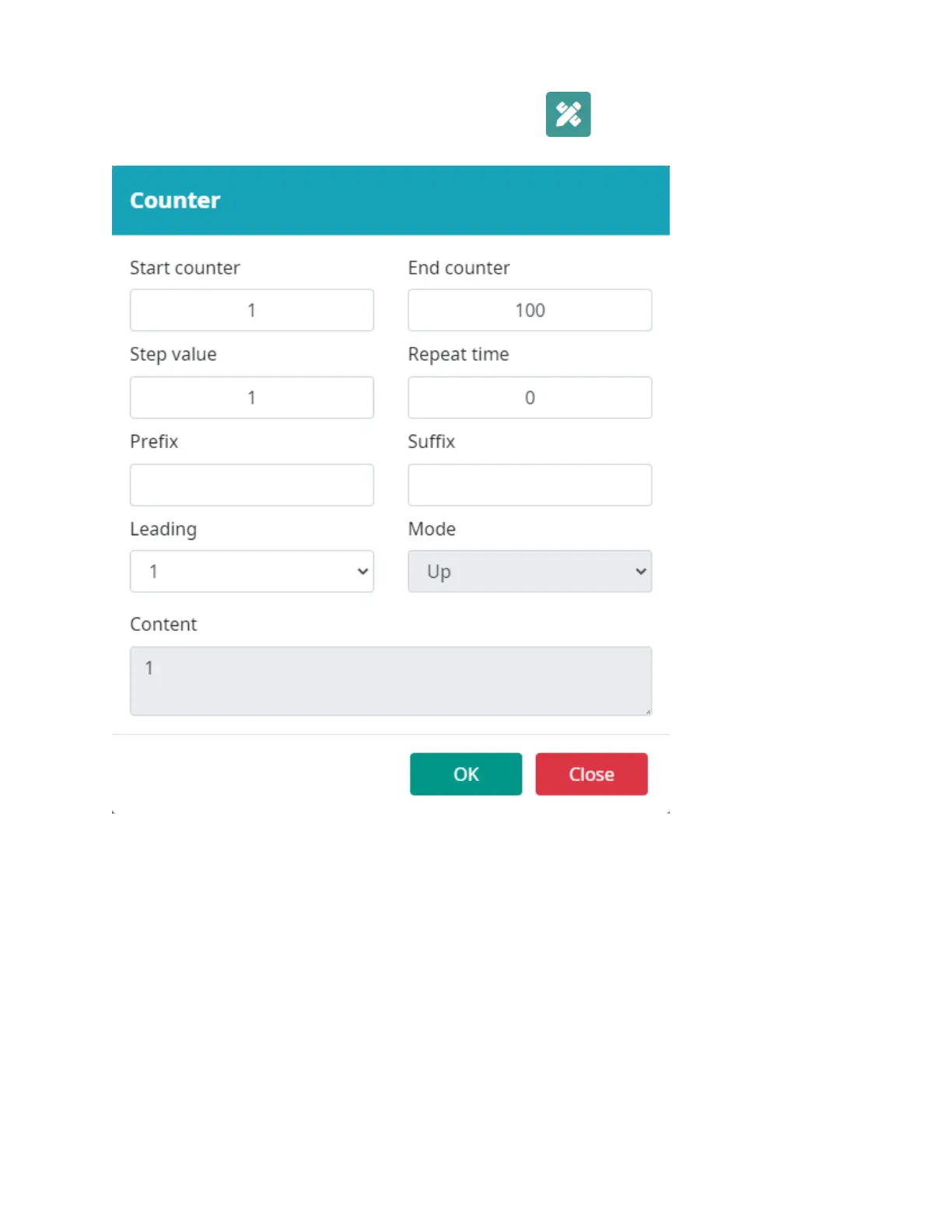
Input the counter object settings.
Select OK to add the counter object.
Select a location in the template to put the object.
Start counter: Set the counter start value.
End counter: Set the counter end value. When the counter reaches this value, it will return to the start
value.
Step value: Set the counter increment/step value.
Repeat time: Set the number of times each counter value will be printed.
Prefix: Set a prefix for the counter.
Suffix: Set a suffix for the counter. Leading: Set
the number of leading zeros. Mode: Select count
mode Up/Down.



 To Next Page