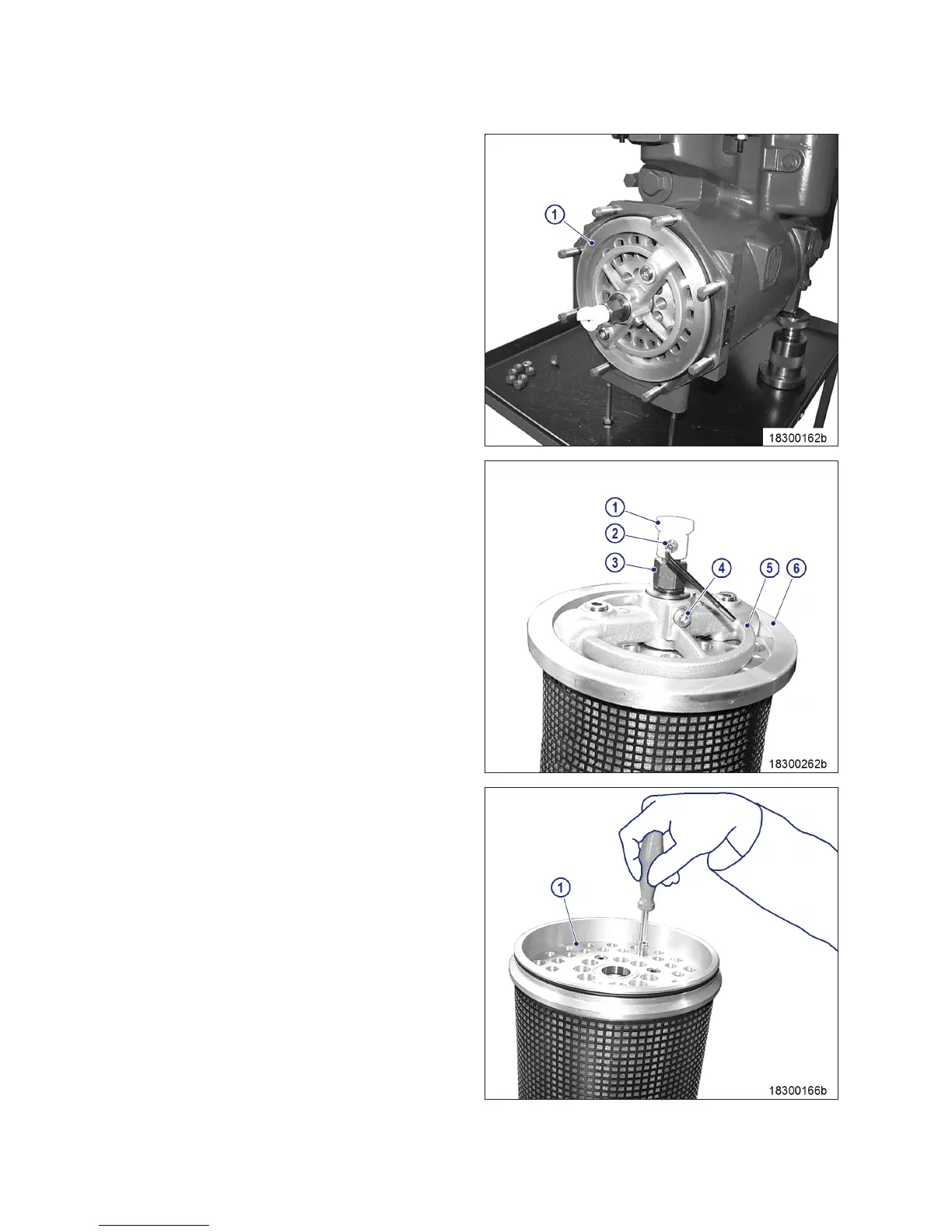
3. Pull out oil filter element (1).
4. Remove O-ring.
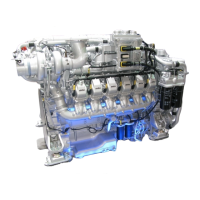
5. Remove screw (2).
6. Pull out plastic spinner (1) with spring.
7. Remove nut (3).
8. Take off spring washer and washer.
9. Remove screw (4).
10. Remove flushing arm (5) from screen
plate (6).
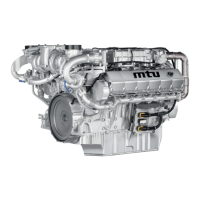
11. Turn filter element by 180° and use appro-
priate tool to push out filter candles (1).
12. Turn filter insert by 180° and insert new fil-
ter candles (1) with chamfer facing down-
wards.
116 | Task Description | M015695/03E 2013-03
TIM-ID: 0000029294 - 007



 To Next Page