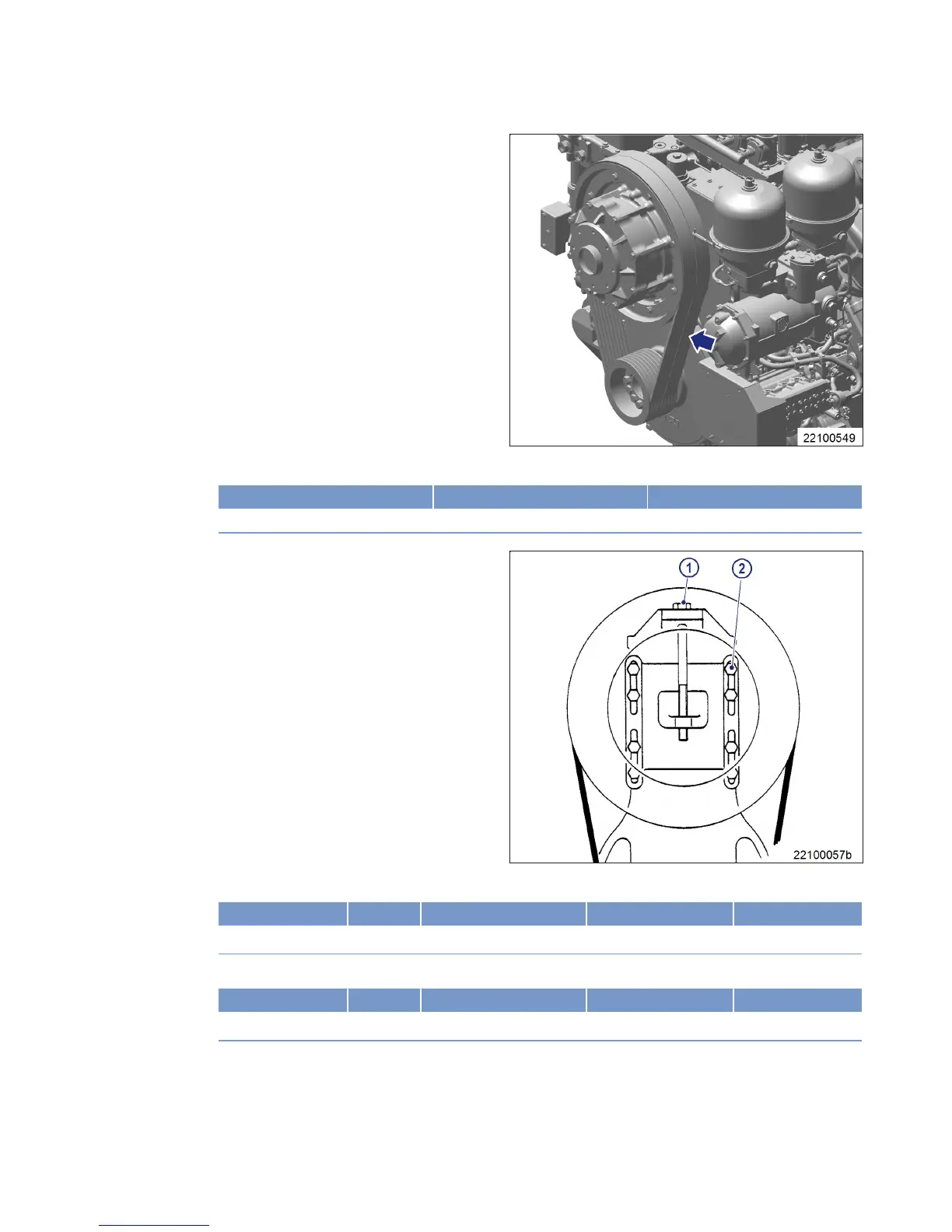
Checking V-belt tension – Rock-
ford S370 fan clutch
1. Switch on belt tension tester.
2. Hold measuring tip of belt tension tester
over belt drive. Tap drive belt (arrow) with a
suitable tool.
3. Hold belt tension tester over belt drive until the measured value is indicated.
Initial assembly at MTU Initial operation with fan Re-tensioning
36 Hz ±5 Hz 49 Hz ±2 Hz 44 Hz ±2 Hz
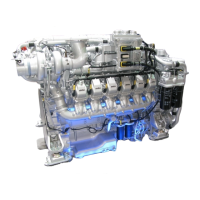
Adjusting drive belt tension
1. Release screws (2) until fan clutch can be
moved.
2. Tighten stud (1) until the required frequen-
cy is achieved.
3. For Rockford S270 fan clutch:Tighten screws (2) to specified tightening torque.
Name Size Type Lubricant Value/Standard
Screw M12x60 Tightening torque 100 Nm +10 Nm
4. For Rockford S370 fan clutch: Tighten screws (2) to specified tightening torque.
Name Size Type Lubricant Value/Standard
Screw M16x80 Tightening torque 270 Nm +10 Nm
M015695/03E 2013-03 | Task Description | 147
TIM-ID: 0000040744 - 001



 To Next Page