Chapter 1 – Introduction and Product Description
Multi-Tech Systems, Inc. SMSFinder User Guide for System Administrators (Document S000451B) 10
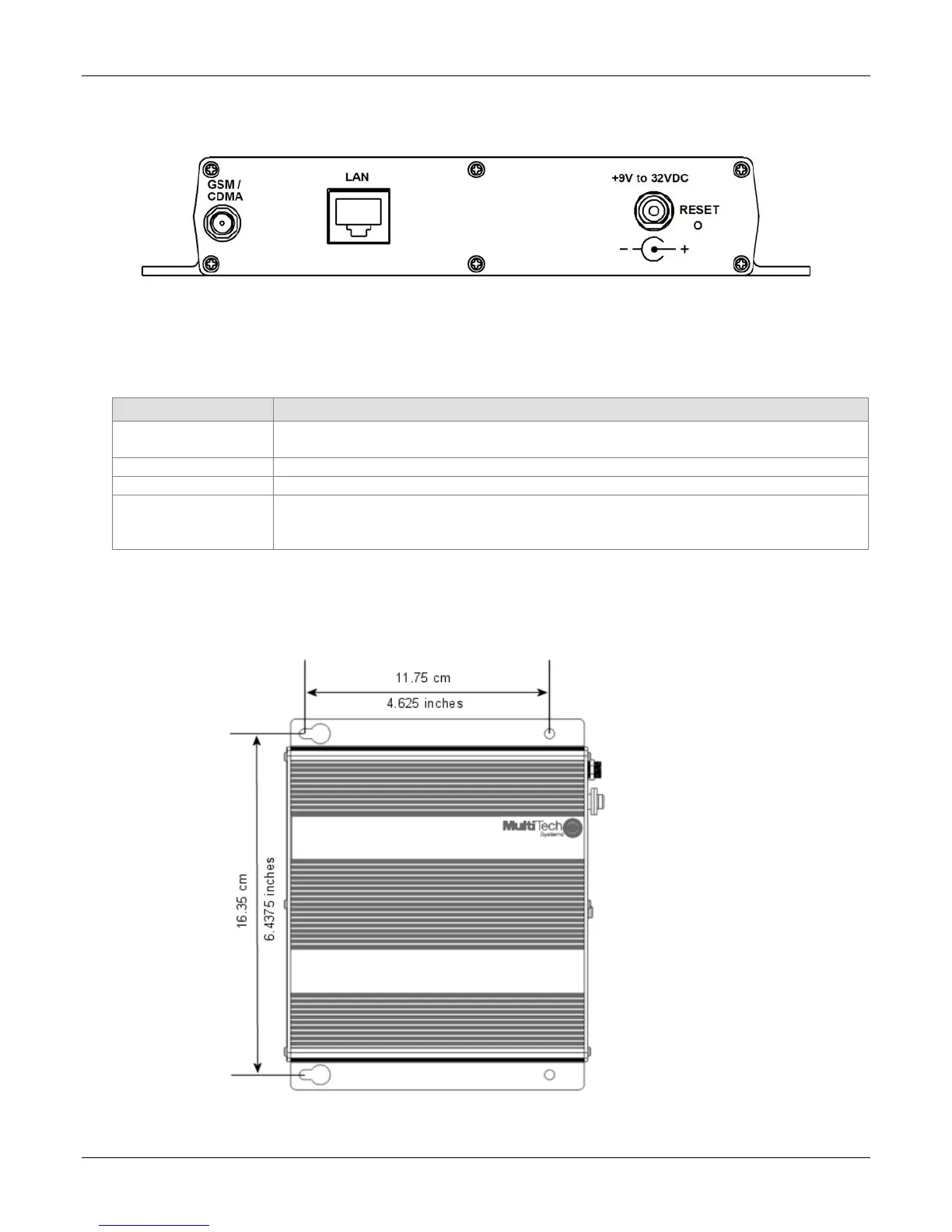
Back Panel
Back Panel Connectors
Connector Description
GSM Antenna
Connector
SMA (female) antenna connector for a quad-band cellular antenna.
Note: The antenna must be attached in order for the SMSFinder to be operational.
LAN
The LAN port connects the SMSFinder to your Ethernet network-connected PC.
+9V to 32VDC
SMSFinder power source can range from 9 volts to 32VDC.
Reset
The Reset button resets the SMSFinder to its factory defaults. Press and hold the
Reset button until the Status LED turns off, and then release it. Do not press this
button unless you want to restore all settings to the factory defaults.
Panel Mounting
The SMSFinder can be panel mounted with screws spaced according to the measurement shown.
Note: Use either #6 or #8 pan head screws for all four mount locations.



 To Next Page