Chapter 3 – SMSFinder Basics and Setup Wizard
Multi-Tech Systems, Inc. SMSFinder User Guide for System Administrators (Document S000451B) 18
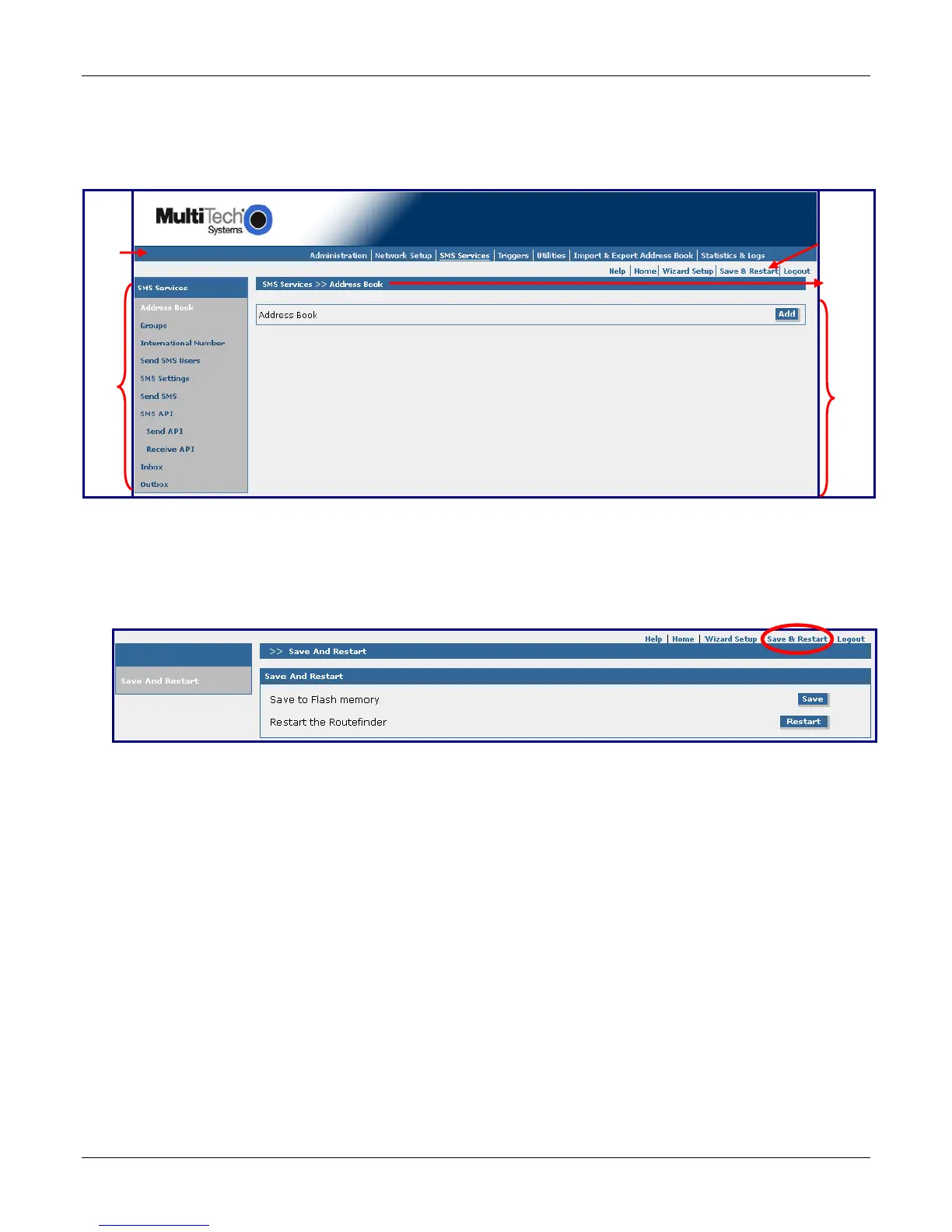
Navigating the Screens
Before using the Web Interface, you may find the following information about navigating through the screens and
the structuring of the menus helpful.
Menu
Bar
Sub
Menu
Other
ptions
creen
Name
Input
Area
Save & Restart Button Under Menu Bar
Select the Save and Restart button located just under the menu bar. The Save and Restart screen displays.
Save to Flash Memory
If a connection is established, the settings have been entered correctly, and your basic configuration is
complete; now, you must save your settings to the Flash Memory. Saving to the Flash Memory saves the
current settings in the flash prom and prevents the settings from getting lost at the next power up.
Note: The system will save the SMS settings every 8 hours automatically; however, it will not save the
system settings during this automatic save. The automatic saving of the SMS settings is helpful for those
times when the administrator does not have direct access to the Ethernet port.
Save
Click the Save button to save your system settings to the flash memory.
Restart
This is optional. You do not have to restart the SMSFinder after saving to the flash memory.



 To Next Page