Chapter 2 – Getting Started
Multi-Tech Systems, Inc. SMSFinder User Guide for System Administrators (Document S000451B) 12
Chapter 2 – Getting Started
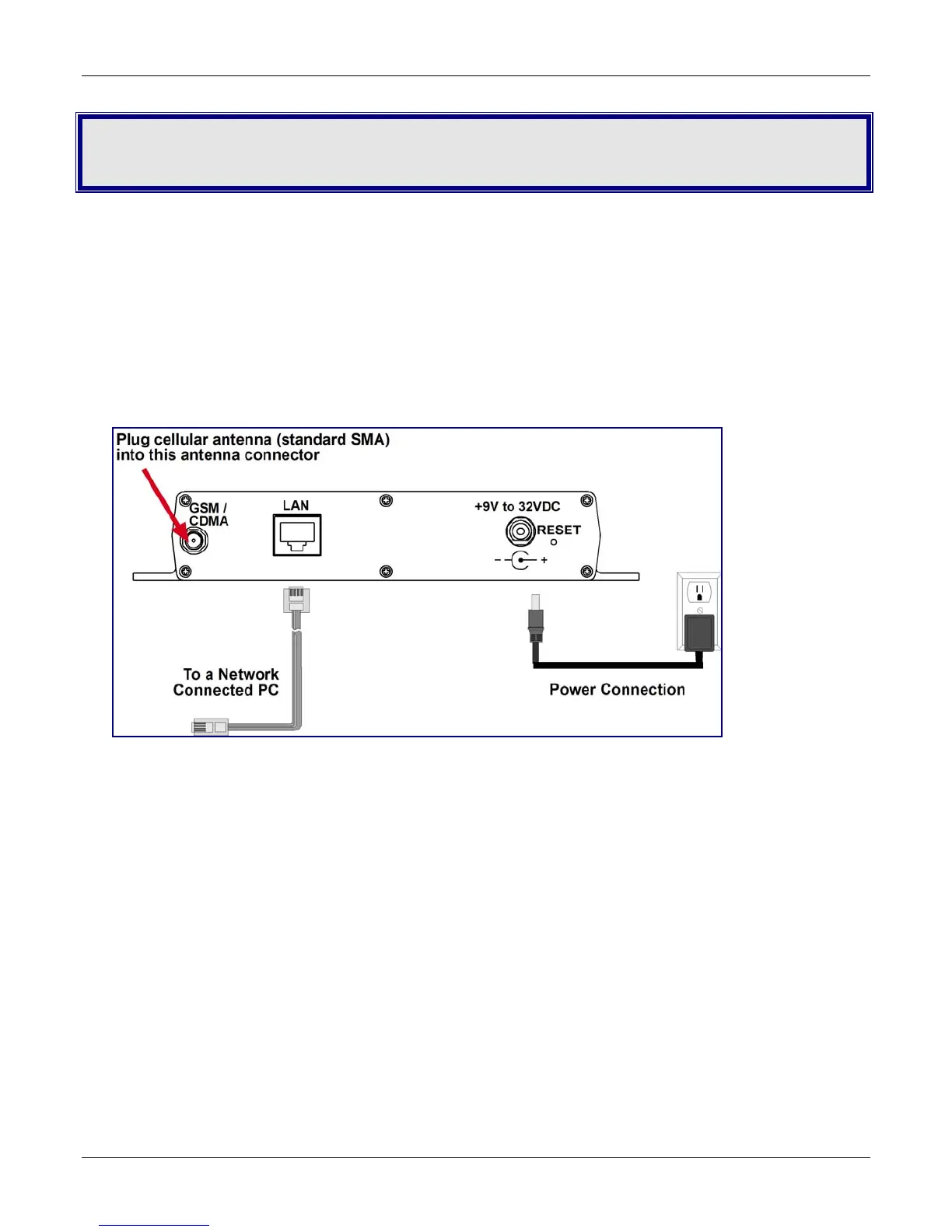
Cabling Your SMSFinder
To use your SMSFinder make the appropriate connections to PCs, a cable or xDSL modem, AC power, and the
antenna.
After your device is properly cabled, it must be configured. Basic cabling directions are included below. See
Chapter 3 for basic configurations. See Chapter 4 for advanced configurations.
SMSFinder Cabling
1. Turn the power off on the PCs and the SMSFinder.
2. Plug one end of a RJ-45 cable into the LAN port on the SMSFinder and the other end into the Ethernet
port on a network connected PC.
3. Connect the provided power supply cable to the 9 volt power port on the back of the SMSFinder, and plug
the other end into an AC power outlet.
4. Attach the cellular antenna.
Antenna Notes:
• Be sure to locate this appliance where there is wireless coverage.
• The antenna must be attached in order for the SMSFinder to be operational.



 To Next Page