Procedure to attach the Tool to the Bracket
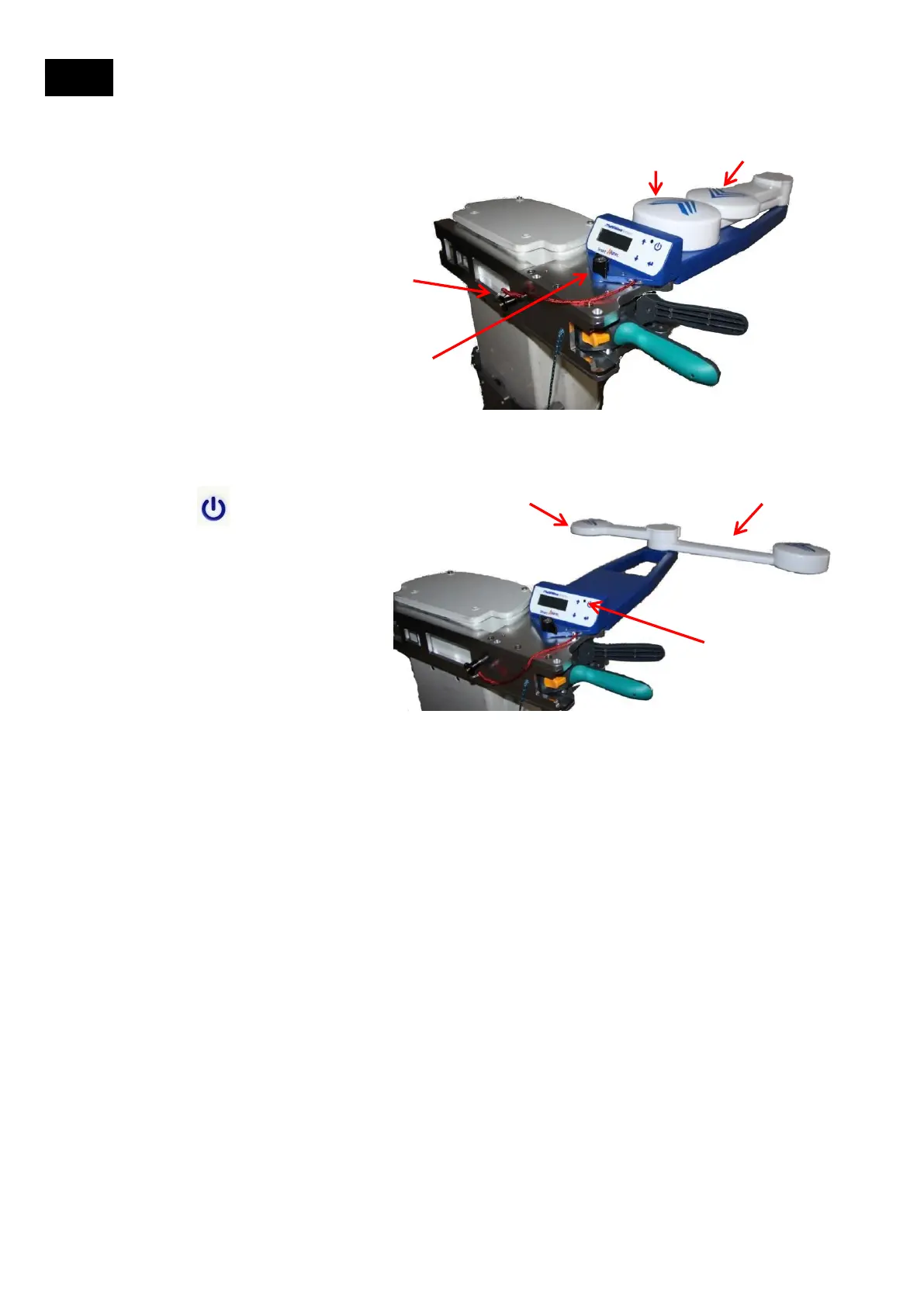
Example is for Right side of antenna: Tool facing Front, Arms Left T
1. Tether the Tool to the Bracket
2. Line up the Mounting
Dowel Pins (underside of
Tool) to the Dowel Pin
Receptacles on the Bracket
3. Tighten the Mounting
Screw Knob on the Tool
4. Rotate Short Arm clockwise till
you feel/hear it click in and engage
5. Rotate the Long Arm
counter-clockwise till you
feel/hear it click in and
engage
6. Press the POWER
button on the User Interface
and wait for an azimuth
solution
7. See next section for
description of what you will see
on the LCD User Interface Screen
and how to navigate the menu
items
1
5
2,3
4
6
4
5
9.2
10


 To Next Page