Mobile Device App “Smart Aligner”
13
A full feature App (for iOS 7.0 or greater and Android 4.1 or greater) is used for real time measuring and to create
Antenna Alignment closeout reports. The user installs the App from either the App Store or Google Play by searching for
“smart aligner multiwave”. The App is free. Described here is the iOS App. The Android and iOS Apps are identical in
operation and look but may be different with respect to the gestures offered by the different operating systems. There
will be a note describing the differences for each of the cases.
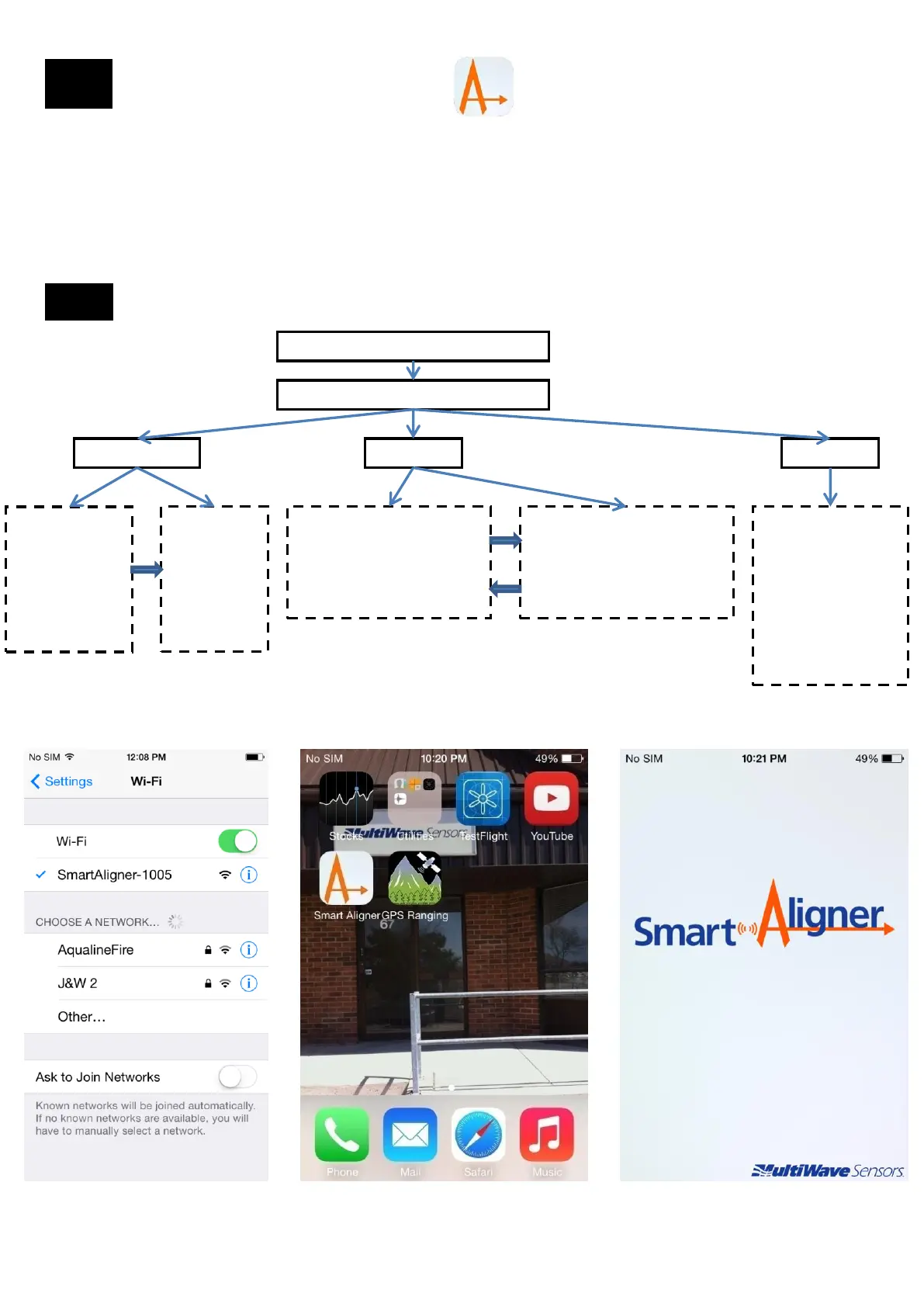
Smart Aligner App flow
Connect by WiFi to Tool
Run Smart Aligner App
Quick Measure Site Survey Settings
User can view
in real time
Azimuth, Tilt,
Roll, Latitude,
Longitude,
Elevation,
Battery and
GPS Integrity
User can
take a
Screenshot
of all the real
time data.
Image is
saved to
Camera Roll
User can:
Add Site(s)
Add Antenna(s) to the Site
“Align” Antenna(s)
Take “Photos”
User can:
Create Reports in PDF, CSV
or JPG formats.
Reports are automatically
populated into mobile device
email account
- Units : Meters ,Feet
-Latitude/Longitude
format: Default is
Decimal Degrees.
Can also display
DMS (Degrees
Minutes Seconds)
-Simulation Mode:
For demonstration ,
training and learning.
App on iPhone Initial Splash Screen Connection to WiFi
13.1
13


 To Next Page