Troubleshooting
18
PROBLEM: Tool is not getting an azimuth solution
There are a few factors that can be causing the Tool to have difficulty getting an azimuth solution:
1. Live antenna: The Tool has been designed for maximum immunity to RF interference however if there are
frequency harmonics that are within the GPS frequencies then this could cause a difficulty in getting an azimuth
solution.
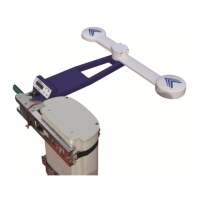
SOLUTION: Try moving the Tool to the left or right position. This will move the GPS antenna elements (under blue
chevrons) away from the source of the antenna to be aligned. Cycle power on the Tool and the solution should come
up within 2 minutes or less.
2. No clear view of the sky: Since the tool is a GPS based device it needs to see at least four satellites. If the GPS
antenna elements are getting blocked then viewing satellites may be difficult. Satellites may come in view at some
point.
SOLUTION: Try moving the Tool to any of the other positions (front, back, left, right) and deploy the arms in either the
T or straight position to give the GPS antenna elements the best view of the sky. Cycle power on the Tool and the
solution should come up within 2 minutes or less.
3. The Bracket and Tool are mounted low down on the antenna to be aligned: By being mounted low down on the
antenna to be aligned GPS multipath effects may be occurring. Multipath occurs when the GPS signal from the
satellite is being reflected off the antenna to be aligned and causing an increased distance. Multipath can not only
affect acquisition time but also accuracy.
SOLUTION: Try moving the Tool to the left or right side and deploy the arms in the T position. This will extend the GPS
antenna elements away from the antenna to be aligned and minimizing multipath.
PROBLEM: Tool is always displaying “Position Arms” even when the arms are deployed to a valid position.
The arms may look like they are in a valid position but they may not be fully locked into position.
SOLUTION: Check the arms that, when deployed, they click into place. In order to be in a valid position the blue
chevrons on the Tool must line up. The arms may be locked into place but if the chevrons are not lined the message
“Position Arms” will always be displayed.
PROBLEM: Cannot see Smart Aligner in the list of WiFi networks
There may be numerous WiFi networks in the area and the Tool selected channel is overwhelmed.
SOLUTION: Try changing to a different WiFi channel on the Tool. This can be done on the main menu.
PROBLEM: App message displays “Seeking Connection”
The App has been started but does not have a WiFi connection.
SOLUTION: Check Settings on your smartphone to determine if you are connected by WiFi to the Tool. If you are not
then connect to the network SmartAligner-XXXX (Serial #).
PROBLEM: App message displays “Waiting for data stream”
The App has been started, is connected by WiFi, but has not yet received any data from the Tool.
This message will appear and stay displayed under the following conditions:
The User Display message: “Position Arms” will be displayed. This message is displayed when the arms are not in a
valid position.
SOLUTION: Deploy the arms to a valid position. The message “Starting Solution” on the Tool will appear until an
azimuth solution is reached. During this time Tilt, Roll and Position data will be displayed on the Tool and the App.
PROBLEM: Smart AlignerApp crashes
There were some earlier bugs that caused crashes. The most common one was using extended characters or a
Comma in the “Antenna Setup” fields.
SOLUTION: Update and install the newest Smart Aligner App version. Do not use extended characters or Commas in
the Antenna Setup fields.
PROBLEM: The Bracket does not fit on the antenna
The Antenna may be one of those that requires an optional adapter bracket or different bracket.
SOLUTION: Check the Options section
PROBLEM: The Tool is not properly tracking the Azimuth when moved on the Bracket.
One of the sensors on the Bracket may be defective.
SOLUTION: Use only the Front position on the Bracket. Contact Multiwave as the Bracket may need to be returned to
Multiwave for service.
PROBLEM: The Tool is not properly tracking the Azimuth when the arms are moved to a different position.
One of the arm sensors may be defective
SOLUTION: Use only the Forward position for the arms. Contact Multiwave as the Tool may need to be returned to
Multiwave for service.
33
Please view our online Training Videos on the Multiwave
Sensors website for additional information


 To Next Page