Azimuth Tolerance
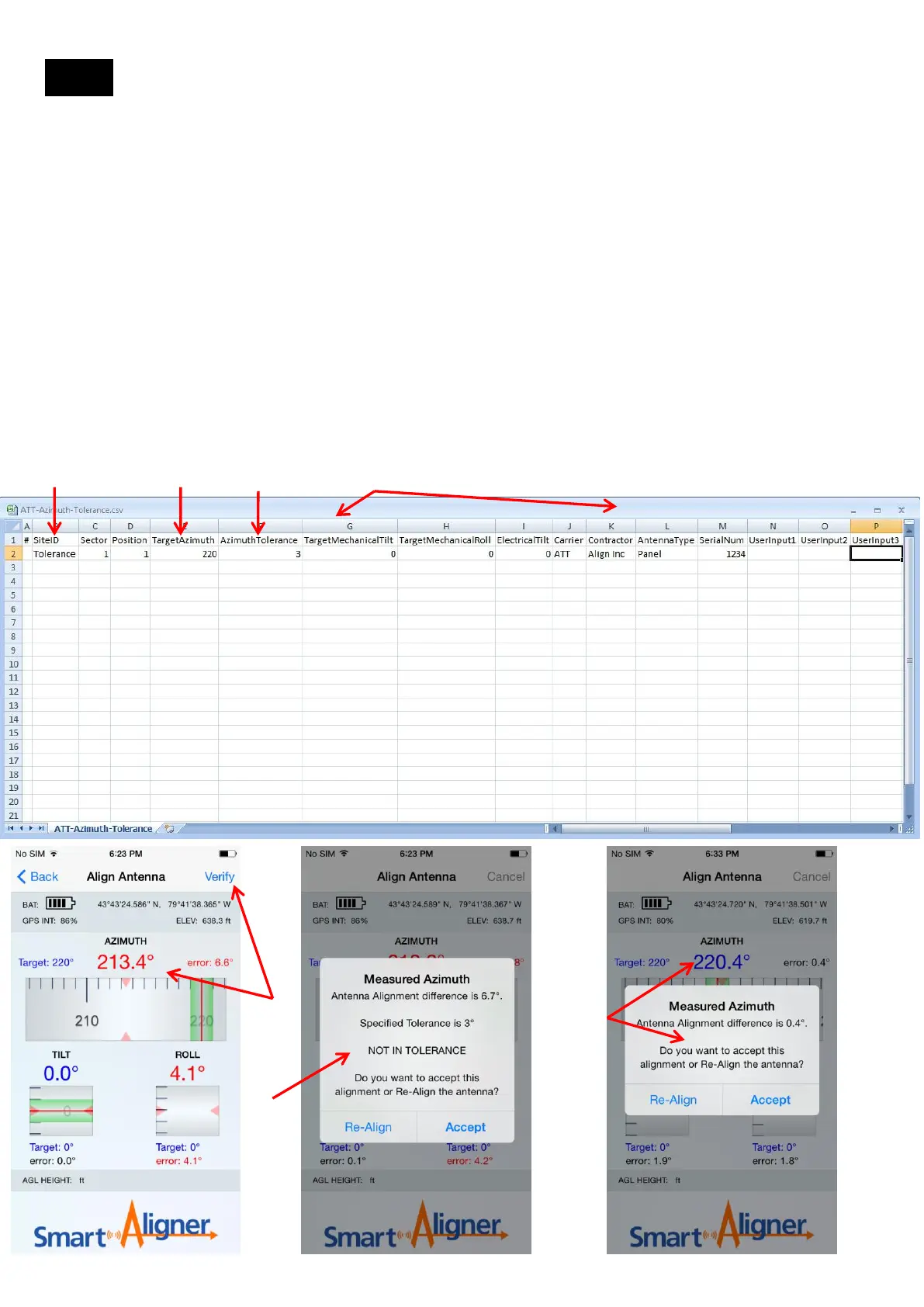
The Azimuth Tolerance is the Carrier specified tolerance that their antennas need to be aligned to. It is a useful
reminder to the user if the antenna aligned did not meet the tolerance. The App will alert the user if the alignment is
not in tolerance. The user can re-align the antenna to tolerance. The tolerance can only be entered in the csv file.
Open the blank/generic csv file. Name the file according to the Site name. Example: ATT-Azimuth-Tolerance.csv
NOTE: MUST be saved as a csv file. In Excel go to “Other Formats” and it will default to the csv format.
1. Enter Site ID as Tolerance (as an example).
2. Enter a Target Azimuth of 220 (as an example).
3. Enter an Azimuth Tolerance of 3 (as an example).
4. Enter the remaining data (not required)
5. Save the file. See NOTE above.
6. Import the csv file to Smart Aligner. See Import a csv Site file ( section 14.1)
7. Set the Tool so that it is pointing at 213 degrees (as an example) and tap “Verify”
8. The standard message will be shown with the added message “NOT IN TOLERANCE”
9. Make a Duplicate Antenna (see Site Survey, Screen 14)
10. Set the Tool so that it is pointing at near 220 degrees (less than 3 degrees error)
11. Tap “Verify”. The standard message will be displayed.
Using the Azimuth Tolerance
1 2
3 4
7
8
10,11
14.8
26


 To Next Page