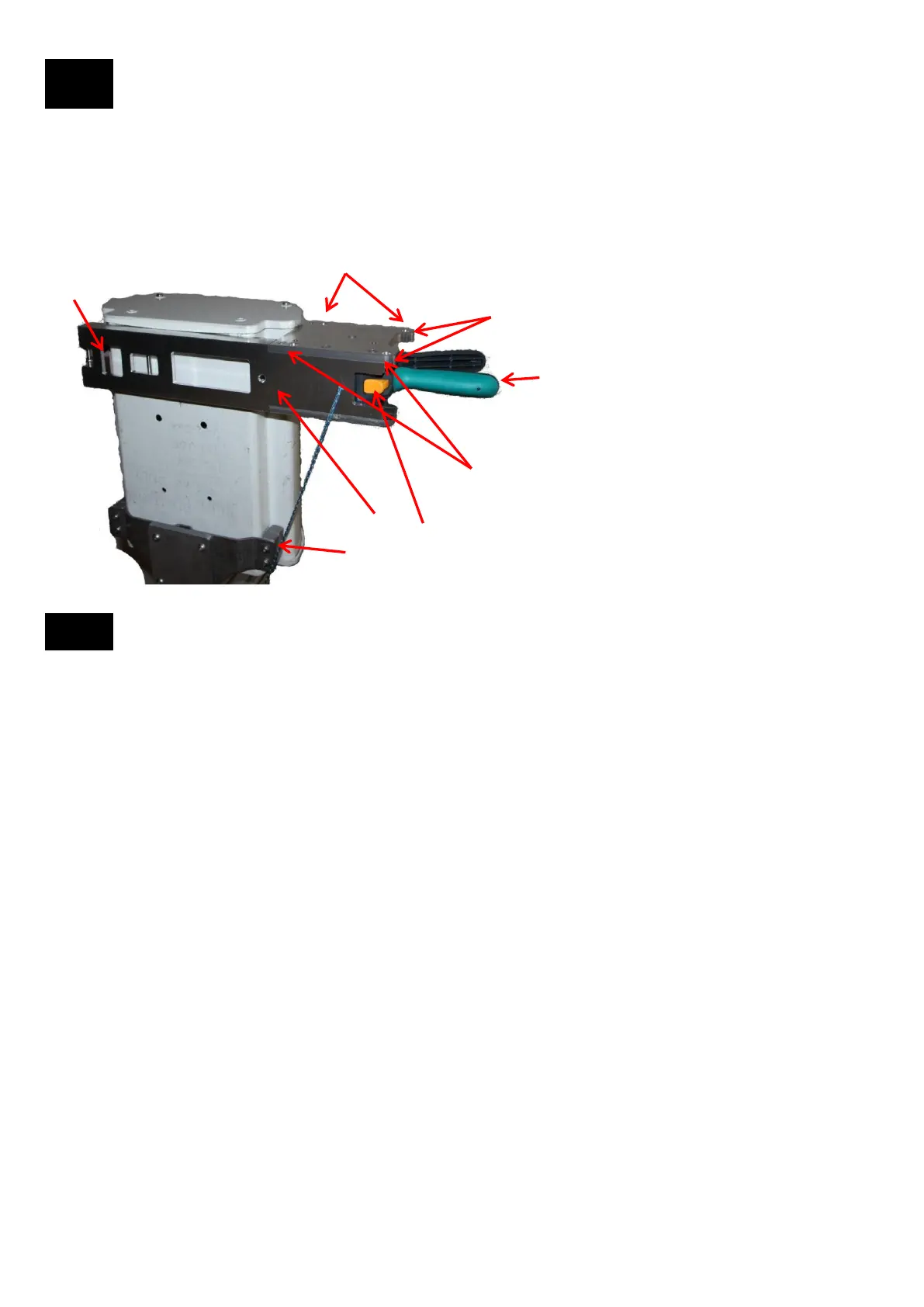
Bracket Attached to the Antenna
8
The Bracket is shown mounted on the right side of the antenna to be aligned. The Bracket can also be mounted on the left
side of the antenna. The four Dowel Pin Receptacles on the Bracket allow for attaching the Tool facing Front, Back or
Right. If the Bracket was mounted on the left side of the antenna then the Tool can face Front, Back or Left. Sensors in
the Bracket compensate for the Azimuth due to the different positions of the Tool.
Dowel Pin Receptacles for Front facing Tool
Dowel Pin Receptacles for Right facing Tool
Dowel Pin Receptacles for Back facing Tool
1. Tether the Bracket to a solid location.
2. Set the Bracket on the backplane of the antenna as shown.
Keep the Bracket in place by holding on to the handle.
3. Depress the orange Strap Release button with your thumb and hold it
4. With your other hand attach the hook of the Ratchet Strap to
the appropriate Ratchet Strap Fastening Pin
6. Squeeze the Ratcheting Handles until the Bracket is
tight to the antenna
5. Release the orange Strap Release button but still hold the
Bracket
Procedure to Attach the Bracket to the Antenna to be Aligned
7. You are now ready to attach the Tool to the Bracket
1
2
3,5
4
6
8.1
7


 To Next Page